TL;DR
Effective email marketing strategies connect permission-based customer data with relevant content, well-timed automation, and measurable business outcomes. Ecommerce businesses should prioritize customer segmentation, welcome emails, cart recovery, post-purchase support, retention campaigns, deliverability, and revenue tracking instead of sending the same promotions to every subscriber.
Many businesses send newsletters, sale announcements, and automated reminders without connecting them to one clear customer journey.
The result is often easy to recognize.
New subscribers receive offers meant for loyal buyers. Recent customers see discounts on products they just purchased. Cart reminders overlap with general promotions. Reports focus on opens and clicks without showing whether email contributed to orders, repeat purchases, or customer retention.
A strong email marketing strategy solves these problems by connecting the audience, customer stage, message, timing, and expected outcome.
This guide is useful for growing businesses across different industries. The examples focus mainly on ecommerce and WooCommerce because online stores can connect email with product interest, cart activity, order history, repeat purchases, and customer retention.
Readers who need a broader introduction can start with our complete guide to email marketing.
What Is an Email Marketing Strategy?
An email marketing strategy is a structured plan for using email to achieve a specific business outcome.
It defines who should receive a message, why the message matters, what action should follow, and how the result will be measured.
This makes a strategy different from an individual email campaign.
A holiday sale is a campaign. An abandoned-cart reminder is an automation. Customer segmentation is a tactic. The strategy explains how campaigns, automations, customer data, and measurement work together to support a larger business goal.
| Element | Meaning | Ecommerce example |
| Goal | The result the business wants | Increase repeat purchases |
| Strategy | The overall plan | Help first-time buyers become repeat customers |
| Tactic | A specific method | Send product-care guidance |
| Campaign | A planned email to an audience | Seasonal product promotion |
| Automation | A message triggered by an event | Abandoned-cart reminder |
A practical strategy should answer five questions.
Who is the customer? What stage are they in? What information do they need? What should happen next? Which metric will show whether the email worked?
Sending more often does not answer those questions. A content calendar can organize activity, but a calendar alone is not an email marketing strategy.
How Email Strategy Follows the Customer Lifecycle
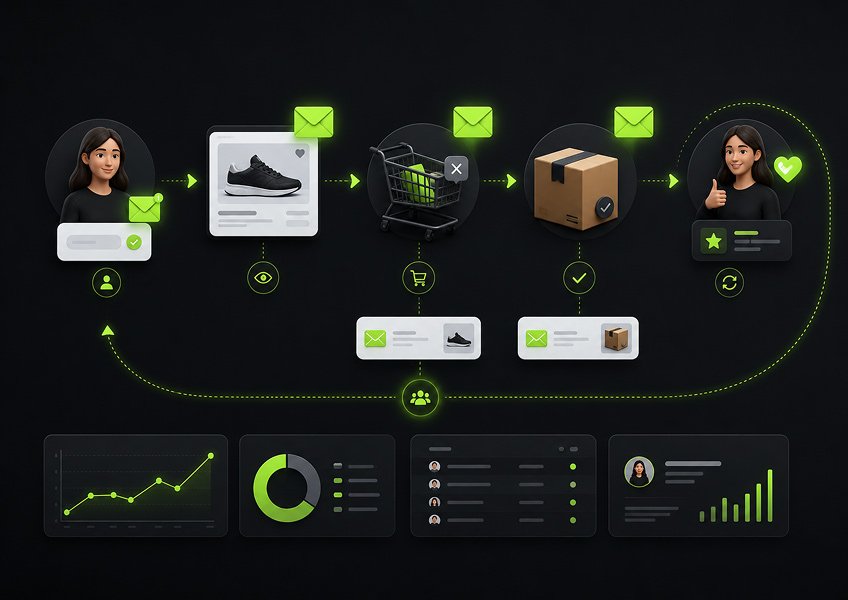
Email marketing becomes more relevant when each message matches the customer’s current relationship with the business.
A new subscriber may need education and reassurance. A shopper comparing products may need answers to buying questions. A first-time customer may need setup instructions. A repeat customer may respond better to replenishment reminders, early access, or useful recommendations.
These customers should not receive identical communication.
| Customer stage | Email objective | Useful strategy | Main metric |
| New subscriber | Build trust | Welcome sequence | First-purchase conversion |
| Interested shopper | Support a decision | Product education | Click and conversion rate |
| Cart abandoner | Restore buying intent | Cart-recovery sequence | Recovered-cart revenue |
| First-time buyer | Improve the experience | Post-purchase emails | Repeat-purchase rate |
| Repeat customer | Increase relevance | Purchase-based segmentation | Revenue per recipient |
| Inactive customer | Restore engagement | Win-back campaign | Reactivation rate |
A simple way to organize the customer journey is the NextCRM Ecommerce Email Growth Loop.
Collect → Understand → Engage → Convert → Retain
Collect means gaining permission and gathering useful customer information.
Understand means interpreting interests, behavior, engagement, and purchase history.
Engage means sending useful campaigns and automated messages.
Convert means responding to buying intent with an appropriate next step.
Retain means supporting customers after purchase and encouraging a lasting relationship.
This framework is not about building every possible automation. It helps a business decide what information it needs and what communication should follow.
Our ecommerce email marketing guide explores the wider role of email across the ecommerce customer journey.
15 Email Marketing Strategies for Ecommerce Growth
The best email marketing strategies give every message a clear audience, purpose, and next action.
1. Build a Permission-Based Email List
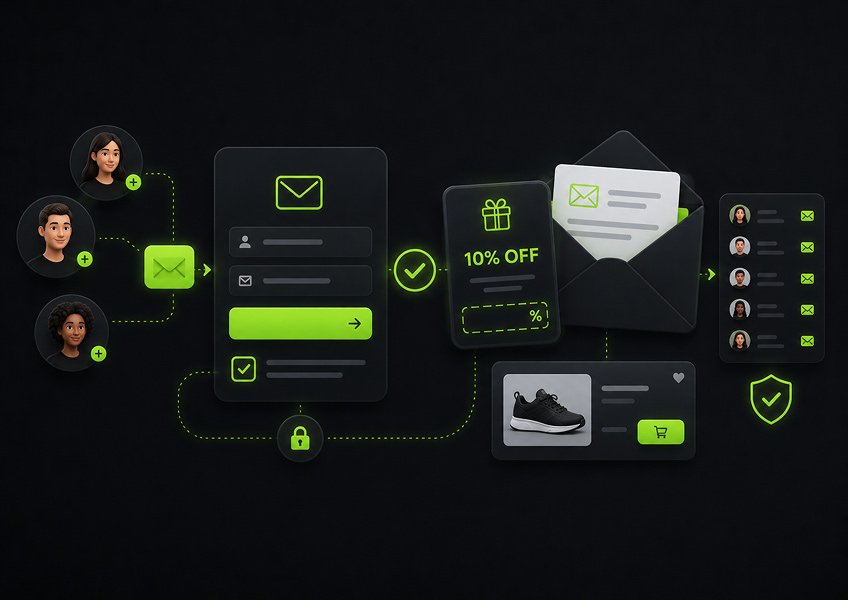
A permission-based list gives the business an audience that understands what it agreed to receive.
Signup forms should explain the expected content. A store might offer product advice, useful resources, new-release updates, early access, or occasional promotions.
Discounts can encourage signups, but they are not the only useful incentive.
A skincare store could offer a routine-building guide. A clothing store could provide a sizing checklist. A coffee equipment store could share a brewing guide.
These offers can attract subscribers who are interested in the product category, not only people searching for a quick coupon.
Email marketing laws vary by country and recipient type. The US CAN-SPAM Act requires commercial senders to use accurate sender information, avoid deceptive subject lines, include a valid postal address, and provide a working opt-out process. UK rules generally require consent for unsolicited marketing emails to individuals unless the sender meets the conditions of a valid soft opt-in.
An order email address should not automatically be treated as permission for every future marketing campaign. Businesses should review the rules that apply to their company, audience, and target regions.
2. Use Customer Data to Create Useful Segments
Customer data is valuable when it changes who receives an email or what the email says.
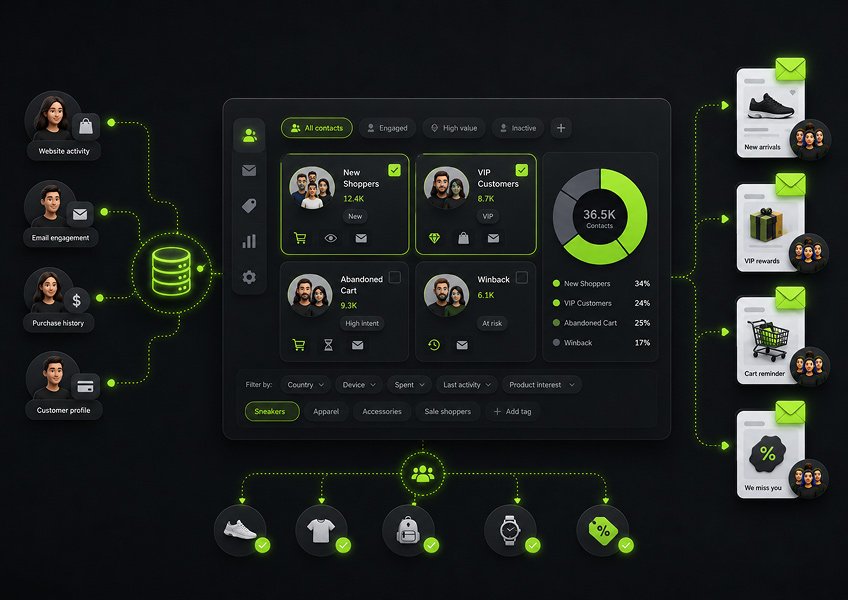
Useful ecommerce data may include subscription source, product interest, purchase history, order count, last purchase date, total spending, engagement level, location, customer status, and cart activity.
A segment should represent a meaningful customer condition.
Common segments include:
- Subscribers who have never purchased
- First-time customers
- Repeat customers
- Category-specific buyers
- High-value customers
- Recent purchasers
- Inactive customers
- Cart abandoners
- Engaged subscribers
- Unengaged subscribers
Exclusion rules matter just as much as inclusion rules.
A customer who bought a product yesterday should not receive a mass promotion offering the same product at a lower price. A person who completes checkout should leave the cart-recovery sequence. An unsubscribed contact must remain excluded from marketing campaigns.
Good segmentation does not require dozens of lists. Start with the groups that genuinely change the message, timing, or offer.
3. Match Email Content to the Customer Lifecycle
Lifecycle-based email gives customers information that fits their current needs.
New subscribers may need help understanding the business and choosing a product. Interested shoppers may need comparisons, specifications, customer questions, or delivery information.
First-time buyers often need practical post-purchase support. Repeat customers may be ready for replenishment reminders, compatible products, loyalty benefits, or early access.
Consider two people on the same list.
One subscribed yesterday and has never bought anything. The other has placed five orders during the last year.
A generic promotion treats both contacts as if the business knows nothing about them.
Lifecycle strategy uses the information already available to choose a more suitable message. It also creates a clearer path from first contact to first purchase, repeat order, and long-term retention.
4. Personalize Emails Beyond the First Name
Useful personalization changes the substance of the message rather than adding only the recipient’s name.
A store can personalize emails using product interests, previous purchases, order frequency, pages viewed, links clicked, customer stage, location, or stated preferences.
A customer who recently bought a camera may value information about compatible lenses, memory cards, or camera care.
Showing that customer another random camera because it is currently popular is not meaningful personalization.
The personalization should also be easy for the business to explain.
The team should understand why a customer entered a segment, why a recommendation appeared, and which action triggered an automation. Clear logic makes workflows easier to audit and reduces strange or intrusive messages.
The goal is not to demonstrate how much information the business has collected. The goal is to reduce irrelevant communication.
5. Create a Focused Welcome Email Sequence
A welcome sequence helps new subscribers understand the business while their interest is still fresh.
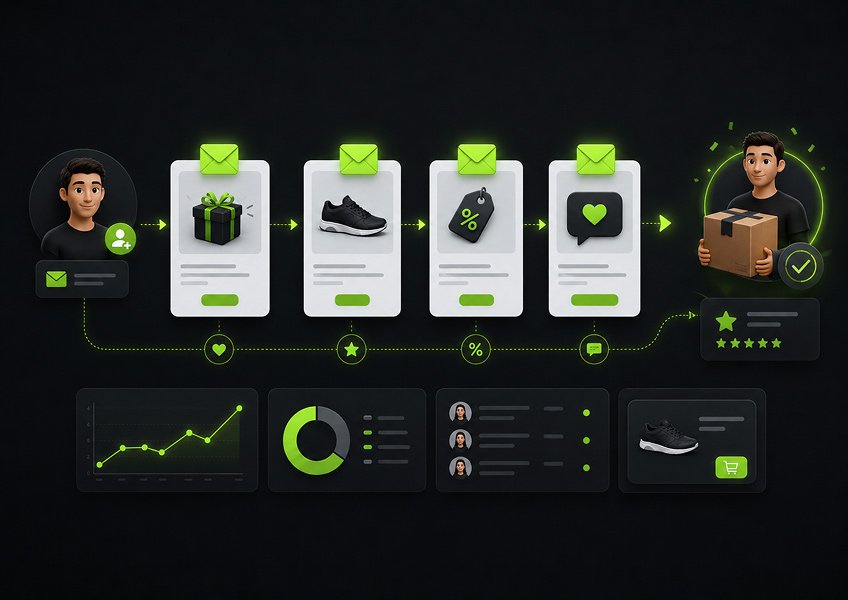
A practical sequence may include three to five emails.
Email 1 should deliver the promised value. Send the discount, guide, checklist, or resource without delay.
Email 2 should explain the business. Introduce what the company sells, who the products help, and what customers can expect.
Email 3 should support exploration. Highlight useful products, categories, resources, or buying guides connected to the signup source.
Email 4 should reduce uncertainty. Address common concerns about shipping, returns, quality, sizing, warranties, or support.
Email 5 should encourage one clear action. Invite the subscriber to explore a category, choose a product, or complete a first purchase.
Not every business needs five messages. The sequence should be long enough to help the subscriber without stretching a small amount of useful information across too many emails.
6. Recover Browse and Cart Abandonment Carefully
Browse abandonment and cart abandonment represent different levels of buying intent.
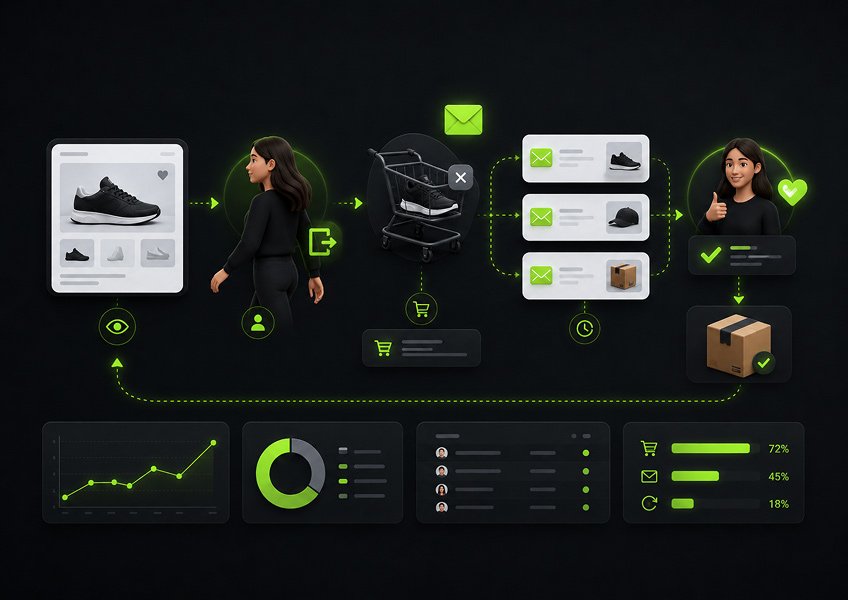
Browse abandonment occurs when a known visitor views a product but leaves without adding it to a cart. Cart abandonment occurs after the shopper selects an item and moves closer to checkout.
A browse reminder should be selective.
One casual product view may not justify an email. Repeated views, a return visit, or clear category interest provides stronger context.
Cart reminders can be more direct because the shopper has shown stronger intent.
A simple cart-recovery sequence may include a reminder, a message that addresses common concerns, and a final prompt to decide.
The automation must stop after a completed purchase. WooCommerce abandoned-cart extensions are designed to stop reminder emails when the customer finishes the order, which prevents irrelevant follow-ups after conversion.
Businesses should also avoid leading every cart sequence with a discount.
Immediate coupons can teach regular shoppers to leave checkout and wait for a lower price. Start by helping the customer return to the order. Use incentives only when they support a deliberate pricing and retention strategy.
7. Improve the Post-Purchase Customer Experience
Post-purchase email should help the customer succeed before asking for another order.
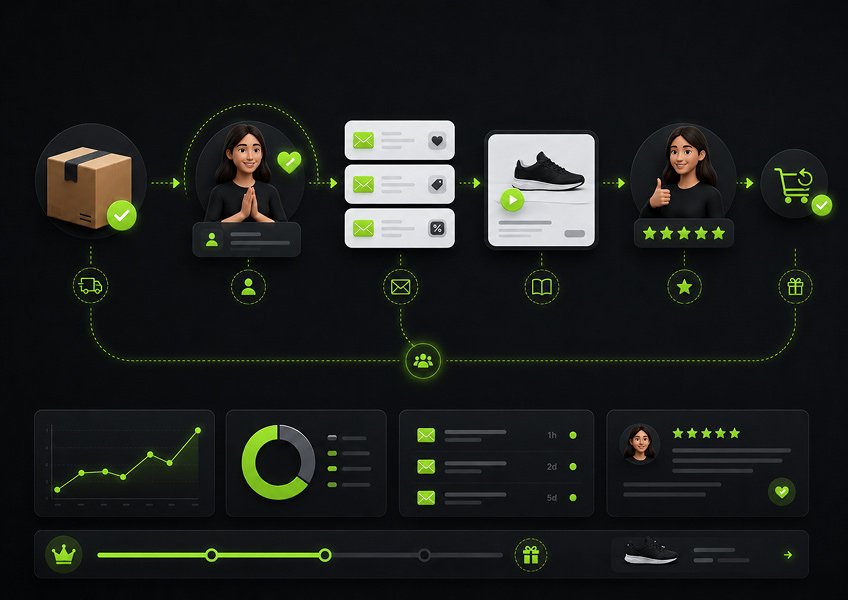
The period after purchase often includes questions.
The customer may need delivery updates, setup instructions, care advice, sizing help, account support, or guidance on using the product correctly.
Useful post-purchase emails may include product education, maintenance guidance, support resources, review requests, reorder information, and compatible product suggestions.
Timing should follow the actual order journey.
A review request sent before delivery is poorly timed. A cross-sell may be more useful after the customer understands the original item. A replenishment reminder should reflect how long the product normally lasts.
WooCommerce follow-up tools support messages triggered after purchases, account signups, completed orders, and other customer actions. They can also target messages by product or category.
A coffee equipment store, for example, could send setup instructions first. Cleaning guidance could follow later. Filters or beans may become relevant only after the customer begins using the machine.
8. Use Relevant Upsells, Cross-Sells, and Reorder Reminders
Purchase-based recommendations work best when the product relationship is obvious.
An upsell encourages the customer to choose or move toward a higher-level option. A cross-sell recommends a compatible item. A reorder reminder helps the customer replace a product that may be running out.
A printer buyer may need ink. A razor buyer may need replacement blades. A coffee machine buyer may need filters or cleaning supplies.
Timing is as important as product relevance.
Sending a refill reminder three days after a product that normally lasts six weeks is unlikely to help. Offering an upgrade immediately after the original purchase may create regret rather than satisfaction.
Use purchase data to answer three questions.
What product is relevant? When is it likely to be useful? Who should not receive the message?
If the business cannot answer all three, the recommendation is not ready.
9. Build Loyalty and Win-Back Campaigns
Loyalty emails support active customers, while win-back emails try to restore a declining relationship.
Loyal customers may value early product access, useful rewards, member education, referral benefits, priority support, or recommendations based on previous purchases.
Inactive customers need a different message.
A win-back sequence can remind them of the original value, introduce meaningful improvements, ask what they want to receive, or offer help with a previous purchase.
Discounts may be useful, but they should not be the only reason to return.
Inactivity should also match the normal buying cycle.
Three months without an order may matter for a consumable product. The same period may be normal for furniture, electronics, or other infrequent purchases.
A simple way to identify useful segments is to consider recency, purchase frequency, and order value. This separates customers who bought recently from those whose activity has slowed and those who may already be highly loyal.
10. Send Useful Emails Even When You Have No Promotion
Ecommerce businesses can maintain customer interest without running a sale or launching a product.
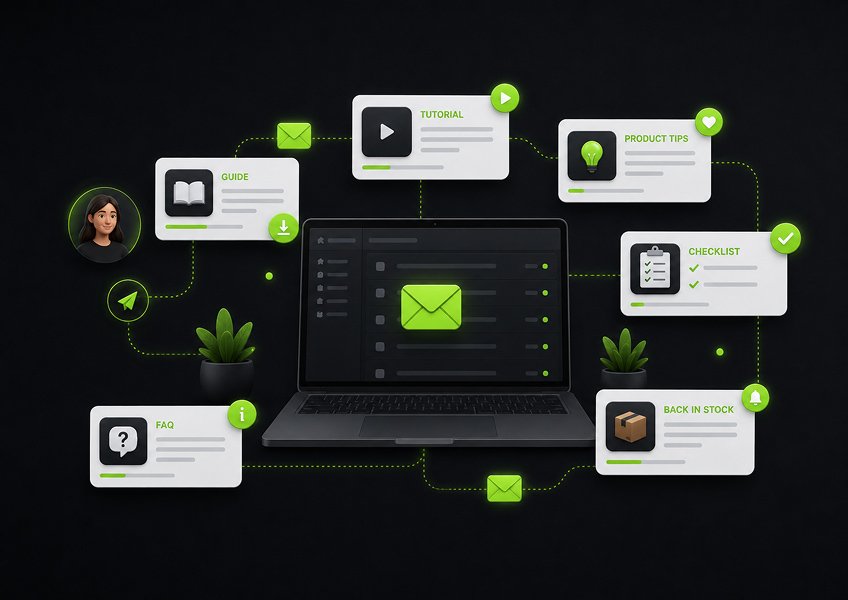
Useful educational content gives subscribers a reason to stay engaged between promotions.
Stores can send product-selection guides, tutorials, care advice, customer examples, comparisons, frequently asked questions, seasonal guidance, back-in-stock updates, and new ways to use existing products.
The content should remain connected to what the business sells and what the customer cares about.
A broad lifestyle article may attract attention but do little to strengthen the customer relationship. Strong ecommerce content helps people choose, use, maintain, or get more value from relevant products.
Educational emails also make promotional messages feel less repetitive.
When every email asks for a transaction, subscribers learn to ignore the brand until they are ready to buy. Helpful content creates additional reasons to open and engage.
11. Give Every Email One Primary Goal
A focused email makes the next action easy to understand.
The message may contain supporting links, but one action should receive the strongest visual and written emphasis.
A cart reminder should lead back to the cart. A product guide should help the reader explore a relevant category. A review request should take the customer directly to the review process.
The subject line, preview text, opening paragraph, images, and primary button should support the same purpose.
Mobile usability matters too.
Buttons should be easy to tap. Text should be readable without zooming. Important information should not appear only inside an image. Alternative text should explain meaningful visuals when images fail to load.
A practical editing test is simple.
Remove every secondary link and offer. If the main purpose becomes clearer, the original email was asking the reader to do too much.
12. Coordinate Campaigns and Automations
Campaigns and automations should operate as one communication system.
A planned campaign may promote a seasonal event. An automation may respond to a cart, purchase, click, form submission, or period of inactivity.
Problems appear when each workflow is scheduled independently.
A customer may receive a newsletter in the morning, a cart reminder in the afternoon, and a promotional automation in the evening. Each message may make sense alone, but the combined experience feels excessive.
Set rules for maximum frequency, recent-purchase exclusions, priority messages, workflow stop conditions, promotional suppression, and customer preference changes.
High-intent messages may deserve priority over general campaigns. A customer who completes checkout should exit cart recovery. A recent buyer may need post-purchase support rather than another broad sale.
The next useful question is not only whether one email performs well. It is whether the entire sequence creates a reasonable customer experience.
13. Test One Meaningful Variable at a Time
A useful email test answers one clear business question.
Changing the subject line, audience, offer, design, and send time at once makes the result difficult to interpret.
Use a simple rule.
Choose one audience, one intended outcome, and one variable. Keep the remaining elements as consistent as possible.
Meaningful variables may include subject-line clarity, call-to-action wording, offer type, send timing, email length, product position, message frequency, or segment definition.
For example, compare two send times within the same customer segment. Do not compare one time with a completely different audience and offer.
Testing should also continue over time.
One campaign does not establish a permanent rule. Seasons, product categories, customer sources, and buying patterns can change.
Document what was tested, why it mattered, what happened, and what the business will do differently next.
14. Protect Email Deliverability
Email deliverability depends on permission, authentication, sender reputation, list quality, and responsible sending behavior.
Google’s sender guidelines require all senders to use email authentication and require bulk senders to meet additional standards. Marketing and subscribed messages sent by accounts delivering more than 5,000 messages a day to Gmail addresses must support one-click unsubscribe. Yahoo also requires authentication, easy unsubscribe, and low complaint rates for bulk senders.
Businesses should configure and monitor SPF, DKIM, DMARC, sender identity, bounce handling, unsubscribe processing, complaint rates, and domain alignment.
Authentication does not replace permission.
A technically authenticated message can still generate complaints when recipients did not expect it or cannot easily stop it.
List hygiene also matters.
Invalid addresses, repeated bounces, long-term inactivity, and ignored unsubscribe requests can weaken sending quality and customer trust.
For technical guidance, read our comparison of the best WordPress SMTP plugins and our guide explaining why WordPress emails go to spam.
15. Measure Sales, Retention, and Customer Action
Email performance should be measured against the purpose of the message.
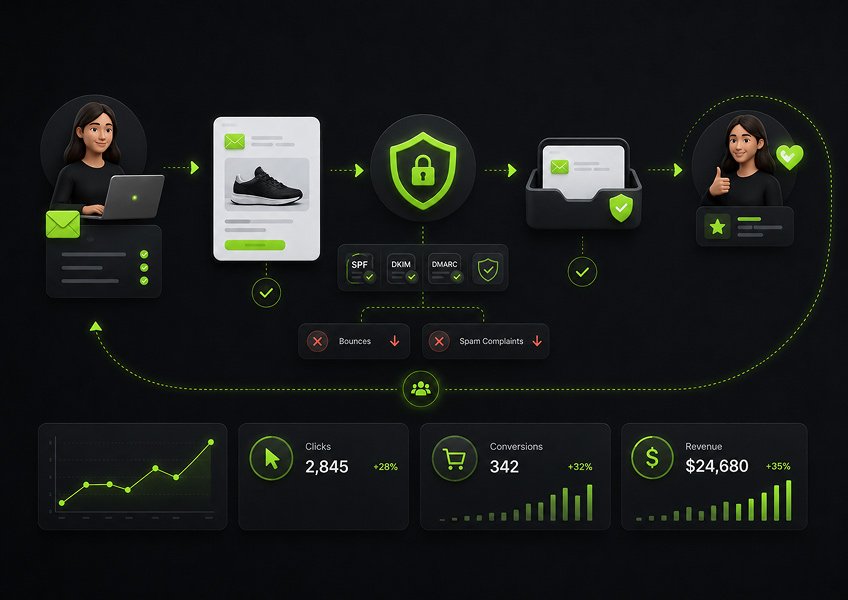
Open rate can offer directional information, but it should not be the main business measure. Image loading, privacy features, and mailbox behavior can affect recorded opens.
More useful ecommerce metrics include click rate, conversion rate, revenue per recipient, recovered-cart revenue, repeat-purchase rate, reactivation rate, unsubscribe rate, complaint rate, and bounce rate.
| Metric | What it helps explain | Main limitation |
| Click rate | Whether the email encouraged interaction | It does not confirm a purchase |
| Conversion rate | Whether recipients completed the intended action | It requires accurate tracking |
| Revenue per recipient | Revenue generated relative to audience size | Results vary by campaign type |
| Recovered-cart revenue | Revenue connected with cart reminders | Attribution rules must be clear |
| Repeat-purchase rate | Whether customers returned to buy again | Product cycles affect the result |
| Reactivation rate | Whether inactive customers became active | Inactivity must be defined correctly |
| Unsubscribe rate | Whether relevance or frequency needs review | Some unsubscribes are normal |
| Complaint rate | Whether recipients considered messages unwanted | Even a small rise needs attention |
The correct metric depends on the strategy.
A welcome sequence may be judged by first-purchase conversion. A product guide may focus on qualified clicks. A win-back sequence should measure restored customer activity. A post-purchase sequence may contribute to reviews, repeat purchases, or lower support friction.
Email Marketing Strategy Summary
The following table connects each major strategy with its audience, business objective, and primary measurement.
| Strategy | Trigger or audience | Main objective | Primary metric |
| Welcome sequence | New subscriber | Encourage the first meaningful action | First-purchase conversion |
| Browse reminder | Known visitor with product interest | Restore product interest | Click and conversion rate |
| Cart recovery | Incomplete checkout | Recover the order | Recovered-cart revenue |
| Post-purchase email | Completed order | Improve product success | Repeat-purchase rate |
| Cross-sell | Previous product buyer | Recommend a compatible product | Conversion rate |
| Replenishment reminder | Expected product depletion | Encourage a reorder | Reorder conversion |
| Loyalty campaign | Active repeat customer | Strengthen retention | Repeat-purchase rate |
| Win-back campaign | Inactive previous customer | Restore activity | Reactivation rate |
| Educational campaign | Relevant subscriber segment | Support product understanding | Qualified click rate |
| Deliverability management | Entire sending program | Protect reliable communication | Bounce and complaint rates |
Which Email Marketing Strategies Should You Implement First?
Businesses should begin with a small group of strategies that create a reliable customer journey.
Trying to launch every campaign and automation at once often produces complex workflows before the business has clean data, clear segments, or dependable measurement.
| Priority | Strategy | Why it comes first |
| 1 | Consent and authentication | Creates a responsible sending foundation |
| 2 | Welcome sequence | Responds to fresh subscriber interest |
| 3 | Cart recovery | Addresses clear buying intent |
| 4 | Post-purchase support | Improves the customer experience |
| 5 | Purchase-based segmentation | Makes campaigns more relevant |
| 6 | Win-back campaign | Re-engages existing customer value |
| 7 | Advanced recommendations | Requires stronger data and product logic |
A new store can begin with clear consent, a welcome sequence, one cart reminder, and practical post-purchase guidance.
As the database grows, the store can add more detailed segments, multi-step automations, replenishment reminders, loyalty communication, and behavior-based campaigns.
The correct order depends on the customer journey, not the number of features available in the platform.
Common Email Marketing Strategy Mistakes
Most email marketing failures begin with weak customer context, disconnected workflows, or unclear goals.
Sending the Same Email to Everyone
Mass sending ignores the differences between subscribers, first-time customers, recent buyers, repeat customers, and inactive contacts.
Buying Contact Lists
Purchased lists often contain people who have no genuine relationship with the sender. Consent may also be invalid for the organization or marketing method. UK guidance states that businesses using purchased lists must be able to show that consent covers the organization and the intended communication.
Using Discounts Too Often
Constant discounts can weaken product positioning and teach customers to delay purchases until the next promotion.
Ignoring Recent Purchasers
A buyer should not remain in an abandoned-cart sequence or receive a lower price for the product they just ordered.
Automating Without Stop Conditions
Every automation needs a clear ending. A purchase, unsubscribe, segment change, status update, or completed goal may need to stop future messages.
Tracking Only Opens
Open rates do not show whether the customer purchased, reordered, left a review, or completed the intended action.
Letting Campaigns Overlap
Scheduled newsletters and automated messages must be reviewed together to prevent excessive contact.
Adding More Software Without Fixing the Workflow
A larger marketing stack does not solve poor consent, weak segmentation, irrelevant content, or unclear measurement.
How WooCommerce Stores Can Apply These Strategies in WordPress
WooCommerce stores can apply email marketing more effectively when contacts, orders, segments, campaigns, automations, and reporting share the same customer context.
There are two common implementation models.
External SaaS Workflow
In an external SaaS workflow, WooCommerce customer and order data is synchronized with a hosted email marketing platform.
This model may suit businesses that want vendor-managed application infrastructure, broad integration ecosystems, collaborative tools, or enterprise-level support.
It can also introduce more data synchronization, additional accounts, platform dependency, and contact-based pricing.
WordPress-Native Workflow
In a WordPress-native workflow, contact records, segmentation, campaigns, and automation are managed inside the WordPress environment.
This approach may suit businesses that want customer data closer to their WooCommerce store and prefer managing marketing from the WordPress dashboard.
WooCommerce itself is an open-source commerce platform for WordPress that emphasizes control over checkout, data, and store configuration.
The WordPress-native model also creates responsibilities.
The site owner must maintain hosting performance, database health, backups, plugin updates, security, scheduled tasks, and email-delivery configuration. A self-managed workflow offers more control, but it does not remove the need for technical care.
| Area | External SaaS workflow | WordPress-native workflow |
| Customer data | Synchronized to an external platform | Managed mainly within WordPress |
| Store context | Depends on integration quality | Direct access to WordPress and WooCommerce data |
| Application maintenance | Managed by the SaaS vendor | Managed by the website owner or team |
| Hosting and database | Managed externally | Requires WordPress maintenance |
| Sending infrastructure | Usually built into the service | Requires a mailbox or delivery provider |
| Pricing model | Often based on contacts or sending | Depends on the plugin and delivery provider |
| Operational control | Governed by platform rules | Greater website-level control |
| Best fit | Teams wanting managed infrastructure | Teams prioritizing ownership and WordPress integration |
NextCRM is one WordPress-native option for businesses that want to manage contacts, campaigns, segmentation, and automated workflows from WordPress.
Its public product pages describe contact profiles, tags, WooCommerce-based segmentation, a visual automation builder, engagement reporting, and mailbox configuration. Its WooCommerce integration can synchronize customers and orders, support purchase-based segmentation, trigger post-purchase sequences, and run abandoned-cart workflows.
NextCRM’s 2026 release notes also document mailbox validation, email-validation support, improved unsubscribe headers, campaign queue improvements, automation-condition updates, and stronger list and tag handling.
This does not mean every WooCommerce business should replace every external service.
The best setup depends on store size, technical resources, sending volume, required integrations, reporting needs, infrastructure preferences, and data-control priorities.
For further guidance, read our WordPress email marketing guide and our comparison of the best email marketing tools for WooCommerce.
Ecommerce Email Marketing Strategy Checklist
An email strategy is ready to launch when the audience, purpose, delivery setup, and measurement rules are clear.
Before sending, confirm that the campaign or automation has:
- A specific business objective
- Valid consent or another applicable legal basis
- A defined customer stage
- Clear inclusion rules
- Clear exclusion rules
- One primary action
- Appropriate triggers
- Workflow stop conditions
- Domain authentication
- A visible unsubscribe process
- Mobile-friendly formatting
- Conversion tracking
- Coordination with other messages
- A regular review schedule
The checklist cannot guarantee a result, but it can prevent avoidable mistakes before they affect customers.
Frequently Asked Questions
An email marketing strategy is a plan for using email to reach a defined business goal. It identifies the audience, customer stage, message, timing, workflow, and measurement method. Campaigns, automation, segmentation, personalization, and testing are methods used to execute the strategy.
Useful ecommerce strategies include permission-based list building, purchase-based segmentation, welcome sequences, browse and cart recovery, post-purchase education, relevant product recommendations, replenishment reminders, loyalty campaigns, win-back emails, deliverability management, and revenue-focused measurement.
Most stores should start with a welcome sequence, abandoned-cart recovery, and post-purchase follow-up. These workflows respond to clear customer moments. Win-back, replenishment, browse-abandonment, and recommendation automations can follow after the store has reliable customer data and tracking.
There is no universal sending frequency for every ecommerce business. Frequency should reflect subscriber expectations, lifecycle stage, engagement, campaign relevance, and the total number of automated and scheduled emails. Monitor clicks, conversions, unsubscribes, and complaints, then adjust the schedule by segment.
Email can encourage repeat purchases through product education, post-purchase support, replenishment reminders, compatible recommendations, loyalty communication, and win-back campaigns. Each message should reflect the previous order, customer stage, and normal product-replacement cycle.
Yes. A WordPress-native CRM can manage contacts, segments, campaigns, and automation from the WordPress dashboard. The business still needs secure hosting, regular maintenance, suitable email-delivery infrastructure, domain authentication, consent management, and performance monitoring.
Final Thoughts
Effective email marketing does not depend on sending the largest number of messages or building the most complicated automation.
It depends on understanding why each customer should receive the next email.
A strong strategy collects permission responsibly, uses customer context, coordinates campaigns with automation, protects deliverability, and measures outcomes connected to sales and retention.
For ecommerce businesses, the most valuable opportunities appear around clear customer moments.
A subscriber joins. A shopper explores a product. A cart is left unfinished. A customer completes an order. A repeat buyer becomes inactive.
Each moment creates a different communication need.
Start with one stage where customers currently receive weak, generic, or inconsistent follow-up. Improve that experience before adding another workflow.
WooCommerce businesses can use NextCRM to connect customer data, purchase-based segments, campaigns, and automation inside WordPress while maintaining control over the wider marketing workflow.