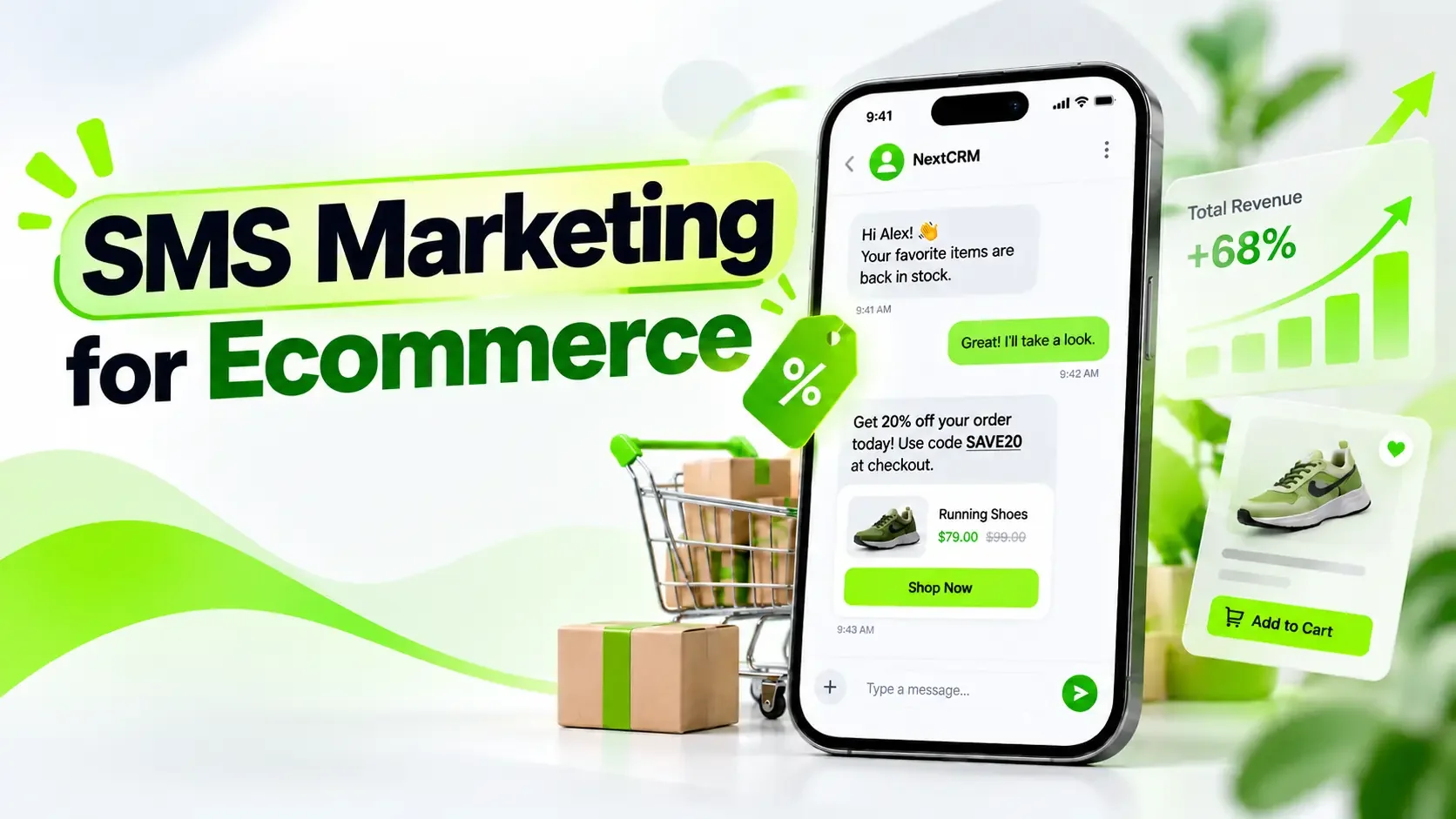
A customer adds a pair of running shoes to their cart, gets distracted, and leaves without checking out. Later, they receive a text with a link to their saved cart. They return, finish the purchase, and move on with their day.
That’s one way SMS marketing for ecommerce can fit into the shopping experience. Online stores also use texts to announce product restocks, share limited-time offers, and reconnect with past buyers.
But sending texts isn’t automatically profitable. Every message has a cost, and customers won’t appreciate constant promotions. This guide covers how to build an SMS strategy that makes sense for your store, with campaign examples, automation workflows, consent requirements, and realistic cost calculations.
What Is SMS Marketing for Ecommerce?
SMS marketing for ecommerce uses permission-based text messages to promote products, share offers, and encourage purchases from an online store. Businesses can send individual campaigns or automate messages based on customer actions.
For example, a clothing retailer might announce a weekend sale. A skincare store could notify shoppers when a product they requested becomes available again.
Ecommerce text messaging generally falls into two categories:
- Promotional SMS: Discounts, product launches, loyalty offers, and abandoned-cart reminders.
- Transactional SMS: Order confirmations, shipping updates, and service notifications.
The distinction matters. A customer who provides a phone number to receive delivery updates hasn’t necessarily agreed to receive promotional messages.
How Does Ecommerce SMS Marketing Work?
A typical campaign starts when someone subscribes to receive marketing texts. The store organizes those subscribers, prepares a message, and sends it through an SMS platform connected to a delivery provider.
Automation makes this process more useful. Instead of scheduling every promotion manually, businesses can respond to supported customer actions, such as a confirmed signup, requested restock, or abandoned checkout.
The basic process looks like this:
Permission → Customer segmentation → Campaign trigger → Eligibility checks → SMS delivery → Performance tracking
Consider a back-in-stock alert. Before texting customers, the store should check whether the requested item is available and whether each subscriber can still receive marketing messages.
That final check matters because customer circumstances can change between scheduling and sending.
Is SMS Marketing Worth It for Ecommerce Businesses?
SMS can be worthwhile for ecommerce stores, particularly when customers need a timely reminder or have already shown interest in a product.
A requested restock alert is a good example. The customer already wants to know when the product becomes available, so a short text has a clear purpose. A generic discount sent to thousands of unrelated subscribers may be less useful.
SMS also has drawbacks. Sending costs rise with message volume, subscribers can become tired of frequent promotions, and a text provides less space for detailed information than an email.
The question isn’t whether SMS always works better than other channels. It’s whether a particular campaign creates enough value to justify sending it.
What Do Recent Ecommerce SMS Statistics Show?
Omnisend’s 2026 Ecommerce Marketing Report analyzed 321 million SMS messages sent through its platform in 2025, using data from 150,000 ecommerce brands.
The results highlight an interesting difference between scheduled campaigns and automated messages.
| Performance metric | Automated SMS | Scheduled SMS |
| Average conversion rate | 0.77% | 0.12% |
| Average revenue per send | $0.74 | $0.15 |
Source: Omnisend’s 2026 Ecommerce Marketing Report and SMS Marketing Statistics analysis.
Automated texts generated nearly five times the reported revenue per send. However, this doesn’t prove that automation alone caused the difference. Triggered campaigns often reach shoppers who have already expressed interest, which can influence conversion rates.
Omnisend also reported a Q4 2025 tracking issue that inflated certain SMS click measurements. These figures are best used as platform-specific benchmarks rather than guaranteed results.
For store owners, the useful lesson is to give customers a clear reason to receive each message.
SMS Marketing vs. Email Marketing
SMS and email can serve different purposes in the same customer journey.
| Factor | SMS marketing | Email marketing |
| Best use | Short reminders, timely offers | Product details, education, newsletters |
| Content format | Brief text | Longer content with images and layouts |
| Cost | Usually per message or segment | Often based on plan or sending volume |
| Automation | Event-triggered messages | Lifecycle campaigns and sequences |
| Main limitation | Cost and potential interruption | Inbox competition and deliverability |
Imagine a furniture store launching a new collection. Email gives it space to show product dimensions, materials, and customer reviews. SMS could later notify interested shoppers when a specific item returns to stock.
If you’re building a longer retention strategy, our ecommerce email marketing guide explains where email fits.
How to Build an Ecommerce SMS Marketing Strategy
Before setting up your first SMS campaign, decide what you want customers to do. Are you trying to recover unfinished checkouts, encourage repeat purchases, or announce a product launch?
Each goal requires a different audience, message, and way to measure success.
1. Start With One Campaign Goal
A new ecommerce store might focus on turning subscribers into first-time buyers. An established store could test replenishment reminders for returning customers.
Choose one goal and define how you’ll measure it. For example, a restock campaign could track how many eligible subscribers purchase the requested product within a specified period.
Starting with one campaign makes it easier to identify what works before adding more automations.
2. Segment Customers Based on Their Interests
A customer who buys running shoes every few months probably doesn’t need the same promotional texts as someone shopping for their first pair.
Use reliable information such as purchase history, requested notifications, product categories, or customer preferences to create smaller groups.
Segmentation doesn’t need to be complicated. Even separating first-time buyers from returning customers can help make your messages more useful.
3. Choose a Platform That Fits Your Store
Before comparing advanced features, check whether an SMS platform supports your ecommerce system, destination countries, and delivery provider.
You should also understand how it handles subscriber permission, opt-outs, customer segments, and campaign reporting.
For WooCommerce stores, check the exact events available through the integration. A newly created order isn’t the same as an abandoned checkout.
4. Write and Test Your First Message
Keep your message focused on one offer or customer action. Make the sender recognizable and direct readers to a useful destination.
Before launching, test the final link, product availability, subscriber eligibility, and any applicable sending restrictions.
If the campaign runs automatically, check what happens when customers purchase or unsubscribe before the scheduled message goes out.
5. Review Results Before Expanding
After sending, look beyond clicks. Did customers buy? How much did the campaign cost? Did subscribers opt out?
Use those answers to improve your next campaign instead of assuming more messages will produce more sales.
Best Ecommerce SMS Campaigns and Examples
You don’t need a complicated automation system to start. Most stores can begin with a welcome message, a requested product alert, or a targeted promotion.
Here are six common ecommerce SMS campaigns and when to use them.
| Campaign | When to use it | Main goal |
| Welcome offer | After confirmed SMS signup | Encourage a first purchase |
| Abandoned-cart reminder | After eligible checkout abandonment | Bring shoppers back |
| Flash sale | During a genuine limited promotion | Encourage timely purchases |
| Back-in-stock alert | When a requested product returns | Convert existing interest |
| VIP early access | Before an exclusive launch | Reward loyal customers |
| Replenishment reminder | Near an expected reorder date | Encourage repeat purchases |
1. Welcome SMS
FreshLeaf: Welcome! Enjoy 10% off your first order. Explore our collection: [link]. Reply STOP to opt out.
A welcome text should deliver what the subscriber expected when signing up. If you promised a discount, make the offer easy to find and use.
2. Abandoned-Cart Reminder
North Bottle: Still interested in your insulated bottle? Your saved cart is here: [link]. Reply STOP to opt out.
Imagine a customer leaving checkout after comparing a few bottles. A short reminder can help them return without forcing another discount.
Don’t send it if the shopper has already completed the purchase.
3. Flash Sale Announcement
UrbanFit: Save 20% on selected running shoes this weekend. Offer ends Sunday: [link]. Reply STOP to opt out.
The specific product category and genuine deadline make this more useful than a vague announcement about a big sale.
4. Back-in-Stock Notification
GlowCare: Your requested cleanser is back in stock! Check availability: [link]. Reply STOP to opt out.
Don’t send restock alerts to everyone who has viewed the product. Prioritize customers who requested a notification, and check inventory before sending.
5. VIP Early Access
PeakStyle: VIP early access starts today. Shop our new collection before public launch: [link]. Reply STOP to opt out.
This works when the offer provides a real benefit. If everyone already has access, calling it exclusive won’t mean much.
6. Replenishment Reminder
DailyBrew: Time to restock your usual coffee blend? Reorder here: [link]. Reply STOP to opt out.
A coffee subscription or skincare store may have products customers purchase regularly. Estimate when replenishment makes sense, but stop the reminder if they’ve already reordered.
Note: These are fictional copy examples. Replace placeholder links and use the sender identification, disclosures, and unsubscribe method required for your destination and messaging program.
How to Build an SMS Subscriber List and Stay Compliant
Getting more phone numbers shouldn’t be the only goal of your signup process. You need customers who understand what they’re subscribing to and have valid permission to receive the intended messages.
Website forms, dedicated landing pages, optional checkout fields, and customer preference centers can help collect subscriptions.
You can offer a welcome discount, early access, or requested product notifications as an incentive. Just make sure the form clearly explains who will send messages, what subscribers can expect, and how they can opt out.
Keep appropriate records of consent, including signup sources, dates, and the permission language presented to customers.
What Laws Apply to Ecommerce SMS Marketing?
SMS marketing requirements vary by destination, message purpose, and sender type.
In the United States, covered promotional robotexts can require prior express written consent, along with other applicable federal, state, and provider requirements.
In the United Kingdom, electronic marketing to individual subscribers generally requires consent unless a qualifying exception applies. Canada’s Anti-Spam Legislation also sets rules for consent, sender identification, and unsubscribe mechanisms.
Businesses operating internationally should review the applicable requirements before launching campaigns.
Official resources include the FCC, ICO, and CRTC.
This is general information, not legal advice for a specific market.
SMS Marketing Best Practices for Ecommerce
A good SMS campaign doesn’t need clever wording or constant discounts. It needs a relevant message that reaches the right person at an appropriate time.
Keep these practices in mind:
- Make your brand recognizable. Customers should know who is texting them.
- Focus on one action. Don’t squeeze several unrelated offers into one message.
- Use meaningful personalization. Product interests often matter more than inserting a first name.
- Respect local sending times. Avoid relying on a universal time zone or sending schedule.
- Control frequency. Prevent customers from receiving several promotions from overlapping workflows.
- Check the details. Broken links, expired offers, and unavailable products create frustrating experiences.
There isn’t one ideal number of marketing texts per month. Start conservatively and adjust based on subscriber expectations, results, and applicable rules.
Watch Your SMS Character Count
Message length also affects cost.
According to Twilio’s SMS character-limit documentation, GSM-7 messages typically allow 160 characters in a single segment or 153 per concatenated segment. UCS-2 messages, often triggered by emojis or certain special characters, commonly allow 70 or 67 characters respectively. Some routes differ.
A short-looking message may cost more than expected after you add personalized content, a link, or required disclosures.
Check the final rendered message before calculating your budget.
How Much Does Ecommerce SMS Marketing Cost?
Imagine spending $100 to text customers about a sale. If those messages bring in only two additional orders, was the campaign worthwhile?
The answer depends on how much contribution each order generates after relevant costs.
SMS expenses usually depend on billable message segments, destination countries, sender types, provider charges, and platform fees.
A simple budgeting formula is:
Estimated SMS cost = (Billable outbound segments × Effective segment rate) + Additional charges
Example: Calculate Your SMS Campaign Budget
Suppose an ecommerce store plans to send two messages to 2,000 eligible subscribers.
| Cost factor | Hypothetical value |
| Subscribers | 2,000 |
| Messages per subscriber | 2 |
| Average segments per message | 1.5 |
| Total outbound segments | 6,000 |
| Assumed rate per segment | $0.015 |
| Outbound cost | $90 |
| Fixed charges | $40 |
| Estimated subtotal | $130 |
These figures are hypothetical, not current provider prices. Each message is billed in whole segments, while 1.5 represents the average across all messages. Other fees and taxes may apply.
Now suppose the store earns $20 in contribution from each genuinely additional order after discounts, product costs, payment fees, fulfillment, and expected returns.
It would need seven additional orders to cover the $130 estimated subtotal.
That doesn’t mean the campaign will generate seven new sales. It simply gives the business a break-even target.
You can check current destination-specific charges on Twilio’s SMS pricing page.
How to Build an Abandoned-Cart SMS Automation
Let’s return to the shopper who left an insulated bottle in their cart.
A store with a suitable integration might detect the abandoned checkout and schedule a reminder. But what happens if the customer completes the order ten minutes later?
The automation should stop the reminder rather than send an unnecessary message.
A practical workflow includes confirming a valid abandonment event and the required permission, applying an appropriate delay, and checking the customer’s current status before sending.
When Should an Abandoned-Cart SMS Send or Stop?
| Customer situation | Recommended action |
| Valid permission, active cart, permitted timing | Send |
| Customer completed the purchase | Stop |
| Customer unsubscribed | Stop |
| Local sending restriction applies | Defer or expire |
| Product unavailable or offer expired | Stop |
| Reminder already sent | Stop |
| Provider response is uncertain | Check status before retrying |
This approach prevents duplicate reminders and reduces the chance of sending misleading messages.
Provider-specific requirements also matter. For example, Klaviyo’s US abandoned-cart SMS guidance includes particular consent and reminder restrictions.
Always verify the requirements of your own messaging program. The workflow above is a recommended design, not a claim that every SMS platform automatically supports each control.
How to Combine SMS and Email Marketing
You don’t need to choose between SMS and email for every campaign. In many cases, the two channels can support different parts of the same promotion.
Take Black Friday as an example.
A store might introduce its sale through email, where customers can explore product collections and detailed offers. Subscribers who separately agreed to SMS marketing could receive a short reminder about a genuine deadline.
Our articles on Black Friday email marketing strategies and examples and Black Friday marketing strategies cover the wider planning process.
Coordination also means knowing when not to send. If someone has already purchased, a pending cart-recovery message may no longer make sense.
For longer welcome, nurture, and repeat-purchase sequences, our email marketing funnel guide explains how the different stages fit together.
How to Choose an Ecommerce SMS Marketing Platform
Before choosing a platform, look at the campaigns you actually want to run.
A store sending occasional promotions may need different capabilities from one building automated cart reminders, restock alerts, and customer segments.
Compare the supported ecommerce events, subscriber management, delivery provider connections, opt-out processing, reporting, and total costs.
Make sure the platform can support your intended workflow before paying for features you may not need.
Where NextCRM Fits Into Ecommerce SMS Marketing
NextCRM is a WordPress-native CRM and marketing automation plugin that helps businesses manage contacts and customer communication within WordPress.
Its public documentation describes Twilio SMS connectivity, a Send Mobile SMS automation action, and automation features including delays and conditions. WooCommerce order-related triggers are also documented.
Twilio handles external SMS delivery, while NextCRM provides the documented CRM and automation functionality.
Before building a specialized workflow, confirm how your setup handles SMS-specific consent, unsubscribes, ecommerce events, and pending-message cancellation. A documented SMS action doesn’t automatically establish all these safeguards.
You can review the NextCRM SMS and Twilio API documentation for configuration details.
How to Measure SMS Marketing Performance and ROI
A campaign that generates clicks isn’t necessarily profitable. To understand whether SMS deserves more of your marketing budget, compare customer actions and business results with the full campaign cost.
Track these key metrics:
| Metric | What it measures |
| Delivery rate | Delivered messages ÷ attempted messages |
| Unique click rate | Unique clicking recipients ÷ delivered recipients |
| Conversion rate | Purchasing recipients ÷ defined campaign audience |
| Attributed revenue | Sales associated with the campaign under stated rules |
| Opt-out rate | New unsubscribers ÷ recipients sent |
| Campaign cost | Relevant messaging and platform expenses |
Ordinary SMS doesn’t provide dependable native open-rate tracking. A delivered text isn’t proof that someone read it.
It’s also important to separate attributed revenue from incremental revenue. Some customers who purchase after receiving an SMS might have bought anyway.
A randomized holdout test can help estimate the difference. Compare similar groups of eligible customers, with one group receiving the campaign and another not receiving it. Keep other marketing treatment comparable and assess uncertainty before scaling.
Remember to monitor unsubscribes and complaints alongside purchases. A promotion that generates immediate revenue but drives away subscribers may not be worth repeating.
Frequently Asked Questions
It can be. Start with one useful campaign, calculate the sending cost, and measure whether the resulting purchases justify the expense.
Not automatically. Having a customer’s phone number or purchase history doesn’t necessarily establish permission for promotional SMS. Check applicable laws and any qualifying exceptions.
Yes. Compatible platforms can trigger messages from supported customer events, such as confirmed signups, product restocks, or eligible abandoned checkouts. The available safeguards depend on the integration.
Neither is always better. Email allows more detailed information, while SMS offers a shorter reminder. Choose based on customer permission, campaign costs, and measured outcomes.
Yes. WooCommerce stores can connect compatible marketing tools to SMS delivery providers. Verify which events and automation controls the integration supports.
Your First Ecommerce SMS Campaign Checklist
Before sending your first campaign, make sure you’ve:
- Chosen one measurable goal.
- Confirmed subscribers have the required permission.
- Tested the message, links, timing, and eligibility checks.
- Calculated expected message segments and costs.
- Decided how you’ll measure purchases, opt-outs, and results.
Final Thoughts
You don’t need six SMS automations to get started. Choose one campaign your customers have a clear reason to receive, such as a requested restock alert or a reminder about an unfinished checkout.
Calculate what it will cost, test whether the message stops when it should, and compare the results with what customers would have done without it.
For WooCommerce stores, NextCRM‘s documented Twilio integration and automation features offer a possible starting point for adding SMS to existing WordPress workflows. Check the available triggers and sending safeguards before going live.
A good first campaign gives you something more useful than another marketing channel. It gives you evidence about when texting your customers actually makes sense.