
TL;DR
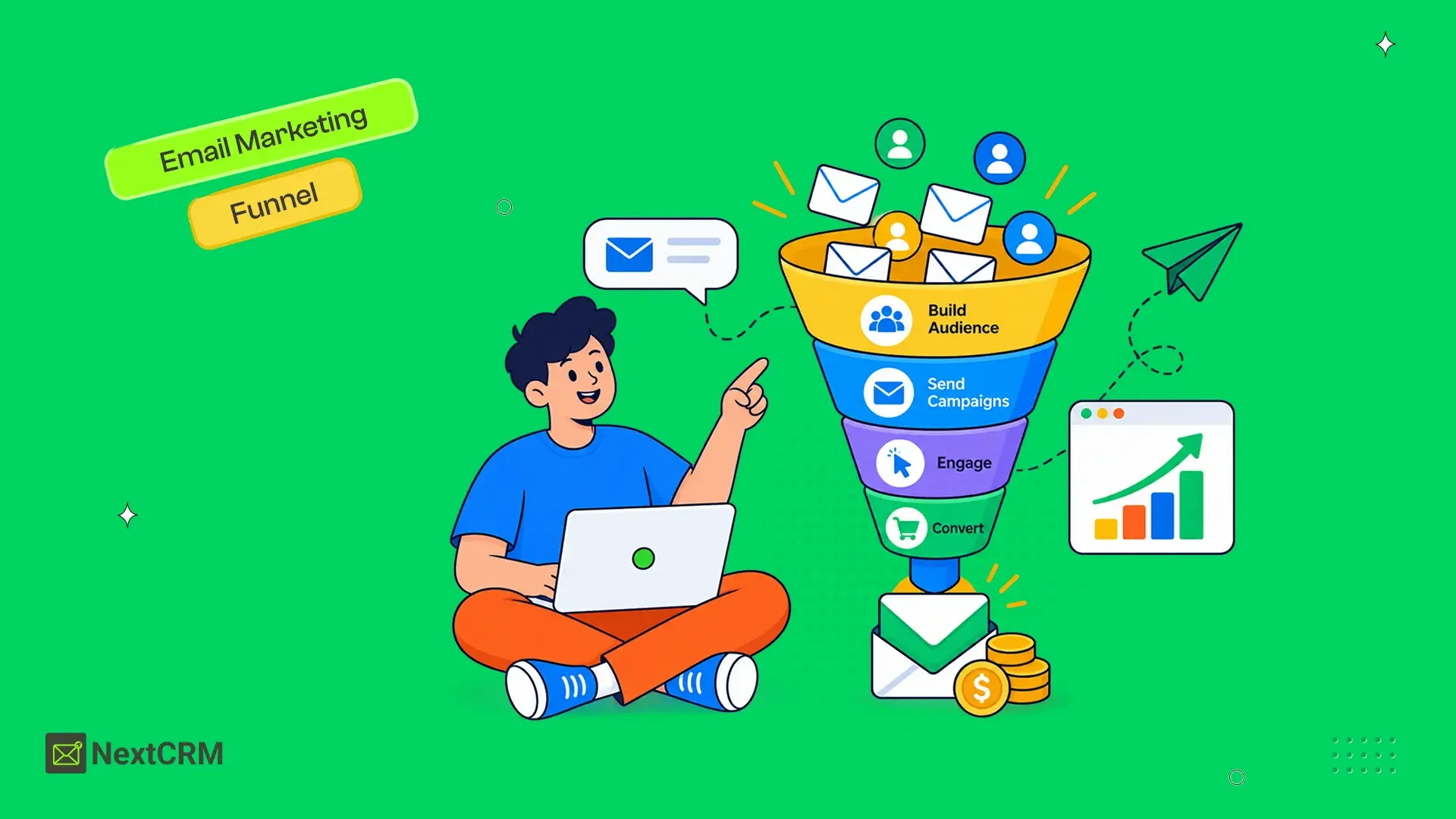
Ecommerce email marketing uses campaigns and behavior-triggered emails to guide shoppers from signup to purchase, retention, and re-engagement. An effective system connects customer signals, segmentation, automation, reliable delivery, and sales measurement. The right platform should also fit your store, data requirements, technical resources, and daily marketing workflow.
Ecommerce businesses work hard to attract visitors, yet many shoppers leave before completing a purchase.
The Baymard Institute cart abandonment research reports an average documented online shopping cart abandonment rate of 70.22 percent. Baymard calculated this average from 50 different ecommerce studies.
Not every abandoned cart represents a lost sale that email can recover. Baymard also found that 43 percent of surveyed US shoppers had abandoned a cart because they were browsing or were not ready to buy. Among shoppers who gave other reasons, 39 percent cited high extra costs such as shipping, taxes, and fees.
Email cannot fix a poor product, confusing checkout, or unexpected delivery cost. It can continue the conversation after someone subscribes, explores a product, leaves a cart, completes an order, or stops buying.
This guide explains how to build an ecommerce email marketing system that supports the full customer journey without overwhelming customers or creating an unnecessarily fragmented marketing stack.
What Is Ecommerce Email Marketing?
Ecommerce email marketing is the use of permission-based campaigns and automated emails to attract, convert, support, and retain online customers.
These emails are often connected to customer activity. The message may change based on what someone viewed, purchased, clicked, ignored, or left in a shopping cart.
Common ecommerce emails include:
- Welcome emails
- Product announcements
- Promotional campaigns
- Abandoned cart reminders
- Post-purchase guidance
- Product recommendations
- Review requests
- Back-in-stock alerts
- Replenishment reminders
- Customer win-back emails
Ecommerce email marketing is more focused than sending the same newsletter to an entire list. It uses customer and store data to decide which message is relevant and when it should be sent.
For a broader explanation of lists, campaigns, automation, and deliverability, read the complete email marketing guide for 2026.
Why Ecommerce Email Marketing Matters
Ecommerce email marketing gives businesses a direct way to communicate with people who have already shown interest in their products.
A previous website visitor may never return. A social media follower may not see the next post. Paid advertising can bring people back, but the business must continue paying for each opportunity to reach them.
A permission-based email list creates a more direct relationship with subscribers and customers. That relationship still depends on consent, useful content, responsible sending, and clear customer expectations.
Email can help an ecommerce business:
- Convert subscribers into first-time customers
- Recover some incomplete purchases
- Educate customers before they buy
- Provide post-purchase support
- Recommend relevant products
- Collect reviews and feedback
- Encourage repeat purchases
- Re-engage inactive customers
The value does not come from sending the highest number of emails. It comes from matching the message to the customer’s current situation.
A new subscriber, a cart abandoner, and a repeat buyer have different needs. Treating them as one audience usually produces less relevant campaigns.
The broader benefits of email marketing also include customer retention, audience control, measurable communication, and reduced dependence on individual marketing channels.
How the Signal-to-Sale Framework Works
The Signal-to-Sale Framework connects customer behavior with the next useful marketing action.
Many ecommerce teams begin by listing the emails they want to create. A stronger approach begins with the customer signal that makes each email relevant.
| Stage | What it means | Ecommerce example |
| Signal | An action that shows intent or progress | A shopper views a product |
| Profile | The signal becomes part of the customer record | Interest in a product category |
| Segment | Similar contacts are grouped together | Interested shoppers who have not purchased |
| Send | A relevant campaign or automation is delivered | Product education email |
| Learn | The result improves future communication | Purchase, click, or no response |
Consider a shopper who views several products from the same category but does not purchase. Those product views create a signal. The category becomes part of the shopper’s known interests. The shopper can then receive useful product guidance instead of an unrelated storewide promotion.
The process should also react when the customer moves forward. After the shopper completes a purchase, reminders written for non-buyers should stop and a post-purchase journey should begin.
This creates an important rule for ecommerce automation.
Every automation needs both an entry condition and an exit condition.
Without clear exit conditions, customers may continue receiving messages that no longer match what they have done.
Which Ecommerce Emails Should a Store Send?
Every ecommerce store should begin with emails that support the most important stages of the customer journey.
| Email type | Common trigger | Main goal |
| Welcome email | New subscription | Build trust and guide the first action |
| Promotional email | Planned campaign | Create product interest |
| Abandoned cart email | Incomplete checkout | Encourage a return to checkout |
| Post-purchase email | Completed order | Support and retain the customer |
| Product recommendation | Interest or purchase history | Improve product discovery |
| Review request | Time after delivery | Collect customer feedback |
| Back-in-stock email | Product becomes available | Notify interested shoppers |
| Win-back email | Customer inactivity | Restart the relationship |
Welcome Emails
A welcome email confirms the subscription and sets expectations for future communication.
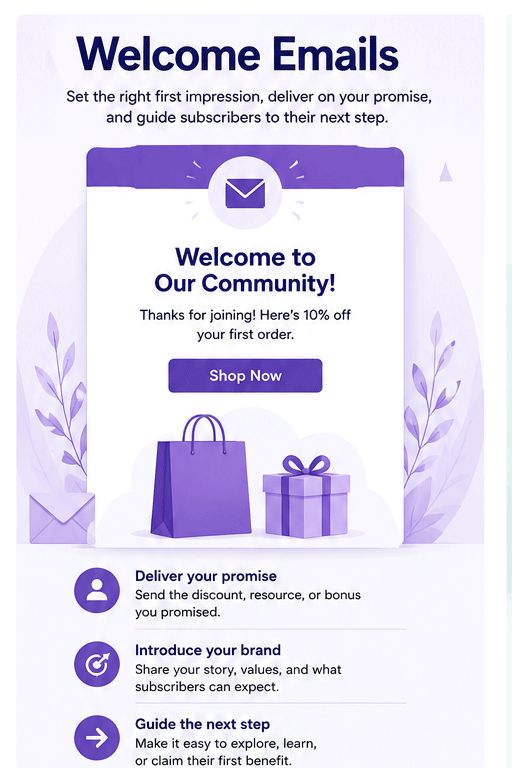
It should deliver any promised discount or resource, introduce the business, and guide the subscriber toward one useful next action. That action might be browsing a popular category, reading a product guide, or using a first-order offer.
Abandoned Cart Emails
An abandoned cart email reminds a shopper about products left before checkout was completed.
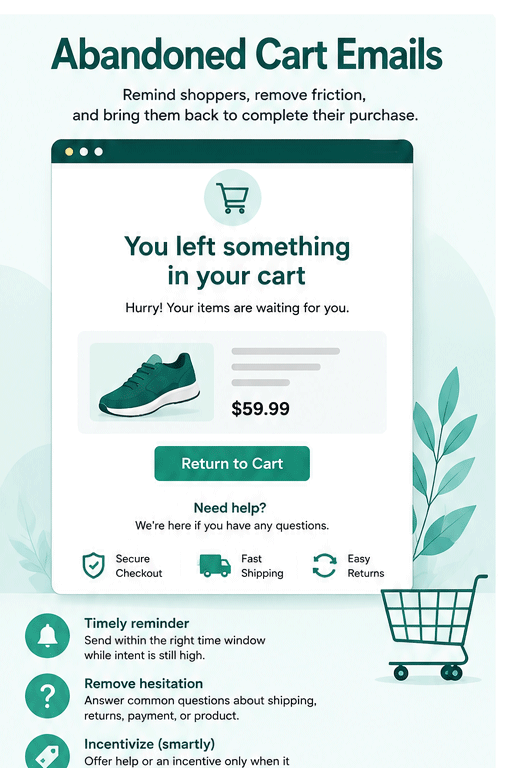
The email should make it easy to return to the cart. It may also answer questions about delivery, returns, sizing, compatibility, payment options, or product use.
A discount should not be the automatic first response. Immediate discounts can reduce margins and may teach some shoppers to wait for an offer.
Post-Purchase Emails
A post-purchase email helps the customer get value from an order they have already placed.
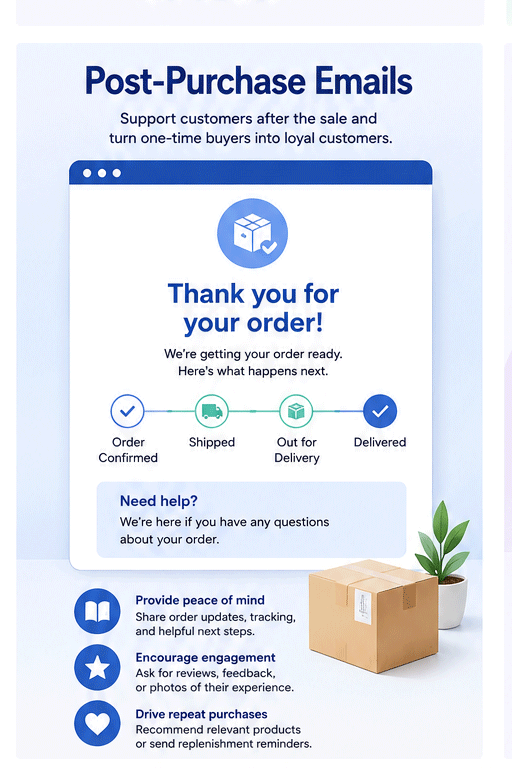
Useful content may include setup guidance, care instructions, delivery information, support resources, review requests, or relevant product recommendations.
The strongest post-purchase messages support the customer before attempting another sale.
Promotional Emails
Promotional emails create focused attention around a product, collection, seasonal event, launch, or limited offer.
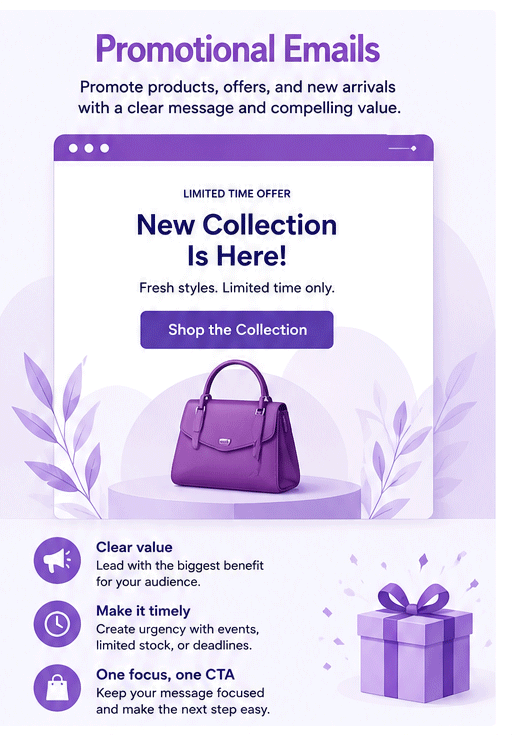
Each campaign should have one main objective. A message that combines several unrelated products, announcements, discounts, and calls to action can make the decision harder for the reader.
Which Ecommerce Automations Should You Build First?
The first ecommerce automations should cover customer moments where timing matters more than a fixed campaign calendar.
Welcome Automation
A practical welcome sequence can begin with three emails.
- Deliver the signup promise and explain what the subscriber will receive.
- Introduce relevant products, categories, or educational content.
- Answer a common buying concern and suggest a clear next step.
The workflow should stop or change when the subscriber purchases.
Abandoned Cart Automation
A cart recovery sequence should remind the shopper, reduce uncertainty, and make it easy to return.
The first email may provide a simple reminder. A later message can answer product or checkout concerns. Another email may introduce urgency or an incentive when that approach fits the store’s margins and customer strategy.
There is no single schedule that works for every business. A low-cost daily-use product has a different buying cycle from furniture, jewelry, specialist equipment, or business software.
Post-Purchase Automation
A post-purchase sequence should begin with reassurance and useful customer support.
Later messages can request a review, recommend a complementary product, offer helpful education, or send a replenishment reminder when the product lifecycle makes that useful.
Begin with these three workflows before creating complicated automation branches. A small number of well-tested sequences usually provides more value than a large collection of unfinished workflows.
How Ecommerce Segmentation Improves Relevance
Ecommerce segmentation groups contacts according to shared behavior, characteristics, purchase history, or engagement.
Useful starting segments include:
- New subscribers
- Subscribers who have not purchased
- First-time customers
- Repeat customers
- High-value customers
- Cart abandoners
- Customers by product category
- Engaged subscribers
- Inactive customers
- Customers by location or time zone
A segment should exist because it helps the business make better communication decisions. Creating many segments without a clear plan adds complexity without improving the customer experience.
First-time customers may need product education and support. Repeat buyers may respond better to loyalty benefits, early access, or recommendations based on previous purchases.
Personalization should also go beyond adding a first name. Purchase history, product interest, lifecycle stage, signup source, location, and engagement can provide more useful context.
Transactional and Marketing Emails Serve Different Purposes
Transactional emails support an action the customer has already taken, while marketing emails encourage a future commercial action.
| Email category | Main purpose | Common examples |
| Transactional | Confirm or support an existing action | Receipt, order confirmation, password reset |
| Promotional | Encourage a future commercial action | Sale, product launch, product recommendation |
| Behavior-triggered | Respond to customer activity | Welcome, cart recovery, win-back |
A behavior-triggered email may still be considered a marketing message. Its classification depends on its purpose, content, customer expectations, and the regulations that apply to the business.
Yahoo states that one-click unsubscribe is required for promotional and marketing messages, but not for transactional messages such as order confirmations and password resets. Yahoo advises senders to consider local regulations and customer expectations when classifying their messages.
Ecommerce businesses should avoid turning essential order messages into aggressive promotional campaigns. Customers open transactional emails to find important information about an action they have completed.
Keeping transactional and promotional communication organized can also make reporting, customer expectations, and deliverability easier to manage.
What Should You Look for in an Ecommerce Email Platform?
The right ecommerce email platform should fit the store’s data, automation, integration, reporting, and operational requirements.
Before selecting a platform, evaluate these capabilities:
- Integration with the ecommerce store
- Contact and customer profile management
- Lists, tags, and dynamic segmentation
- Automation triggers, conditions, and actions
- Campaign and email-building tools
- Purchase and engagement tracking
- Sending infrastructure
- Unsubscribe and suppression management
- Data export and migration options
- Pricing as the contact list grows
- Ongoing maintenance requirements
- Access to customer support
The platform with the longest feature list is not automatically the best choice. The right platform supports the customer journeys the business needs without adding unnecessary complexity.
Ask these questions before making a decision.
- Where will contact and campaign data be stored?
- How will store activity reach the email platform?
- Which automations can be created with the available data?
- Can customers leave workflows after they act?
- Can the business track clicks, purchases, and engagement?
- What happens to the cost as the contact list grows?
- How easily can the data be exported later?
- How many additional tools are needed to complete the workflow?
These questions move the decision beyond templates, contact limits, and campaign volume.
How Ecommerce Email Platforms Differ
Ecommerce email platforms differ in where they run, where customer data is stored, and how closely they connect with the store.
| Operating model | Main advantage | Main consideration |
| External SaaS platform | Provider manages more of the infrastructure | Data and workflows live in a separate platform |
| Store-connected system | Marketing stays closer to store activity | Available features depend on the store ecosystem |
| Custom multi-tool stack | Teams can choose specialized tools | More integrations and data connections must be maintained |
| WordPress-native platform | Contacts and workflows can stay inside WordPress | The business manages more of its WordPress environment |
No operating model is universally better.
A growing ecommerce brand may prefer a hosted SaaS service that manages more of the infrastructure. Another business may prefer closer control over customer data or fewer separate dashboards.
The decision should reflect the team’s technical resources, budget, automation needs, data preferences, existing store platform, and ability to maintain the system.
Businesses using WooCommerce can compare the best email marketing tools for WooCommerce. Readers using other ecommerce platforms can apply the same decision criteria when evaluating their available tools.
Ecommerce Email Best Practices for 2026
Strong ecommerce email performance depends on permission, relevance, reliable delivery, and regular improvement.
Build a Permission-Based List
Subscribers should understand what they are joining and what kinds of emails they will receive.
Collecting an email address during checkout does not always mean that the customer expects every type of promotional message. Consent requirements vary by region, so businesses should review the laws that apply to their customers.
Protect Email Deliverability
Google requires all senders to personal Gmail accounts to use SPF or DKIM authentication. Senders delivering more than 5,000 messages per day to Gmail accounts must use SPF, DKIM, and DMARC. Marketing and subscribed messages must also support one-click unsubscribe, and senders must keep reported spam rates below 0.3 percent.
Yahoo’s sender requirements require SPF or DKIM for all senders. Bulk senders must implement SPF, DKIM, and DMARC, support easy unsubscribe, and keep spam complaint rates below 0.3 percent.
For WordPress-specific guidance, read why WordPress emails go to spam and compare the best WordPress SMTP plugins.
Review AI-Generated Content
AI can help create subject line ideas, draft variations, product summaries, and campaign outlines.
Every customer-facing email still needs human review. Product information, prices, links, discount terms, personalization rules, and brand claims should be checked before sending.
AI can speed up production, but the business remains responsible for accuracy and customer experience.
Which Ecommerce Email Metrics Matter?
The most useful ecommerce email metrics show whether messages reach customers, create meaningful engagement, and contribute to business outcomes.
| Metric | What it reveals |
| Delivery rate | Whether receiving servers accepted the email |
| Click rate | Whether the message earned meaningful interest |
| Conversion rate | Whether recipients completed the intended action |
| Revenue per recipient | Revenue generated relative to recipients |
| Automated email revenue | Sales connected to automated workflows |
| Repeat purchase rate | How often customers return to buy again |
| Bounce rate | Problems with addresses or delivery |
| Unsubscribe rate | Possible issues with relevance or frequency |
| Spam complaint rate | Permission, expectation, or content problems |
Open rate can still provide directional information, but it should not be the only measure of success.
A campaign with many opens and few purchases may be less valuable than one with lower opens and stronger conversions. Ecommerce teams should connect email reporting with orders, revenue, customer progress, and repeat purchases whenever possible.
Common Ecommerce Email Marketing Mistakes
Most ecommerce email mistakes come from weak customer context or disconnected workflows.
Common mistakes include:
- Sending the same campaign to every contact
- Relying on discounts in every email
- Failing to remove customers from completed automations
- Ignoring post-purchase support
- Measuring only open rates
- Sending to old or unverified lists
- Making unsubscribe options difficult to find
- Building workflows without clear triggers
- Using several tools without a clear data flow
- Creating automations and never reviewing them
The biggest problem is often not poor email copy. It is a disconnected system where customer data, segmentation, sending, automation, and reporting do not work together.
When a WordPress-Native Email Platform Makes Sense
A WordPress-native email platform makes sense when a business runs its customer experience through WordPress and wants more control over contacts, workflows, and marketing data.
This model is most relevant to WordPress businesses and WooCommerce stores. Readers using Shopify, BigCommerce, custom ecommerce platforms, or other systems can still apply the strategy in this guide, but they will need a platform compatible with their current store.
NextCRM is a WordPress-native email marketing automation and CRM plugin. Its current product information lists contact profiles, tagging, behavior and engagement-based segmentation, WooCommerce activity, campaign creation, visual automation workflows, and engagement reporting among its capabilities.
NextCRM also includes a built-in mailbox for connecting an SMTP provider directly inside the plugin. No external SMTP plugin is required.
This operating model may suit businesses that want first-party data control and fewer disconnected SaaS tools. A business that prefers a fully managed external service may be better suited to a hosted platform.
For deeper implementation guidance, read the WordPress email marketing guide for 2026.
Ecommerce Email Marketing Launch Checklist
A useful ecommerce email system should be simple enough to launch and structured enough to improve.
Before going live, confirm that you have:
- A permission-based signup process
- A clear welcome email
- Defined customer segments
- A cart recovery workflow
- A post-purchase workflow
- Entry and exit rules for each automation
- SPF, DKIM, and DMARC where required
- A visible unsubscribe process
- Mobile-friendly email templates
- Accurate customer and store data
- Sales-focused reporting
- A regular workflow review process
Begin with the customer journeys that affect the largest number of people. Improve those journeys before adding complex automation branches or more marketing tools.
Frequently Asked Questions
Ecommerce email marketing uses campaigns and automated emails to communicate with online shoppers and customers. It supports product discovery, abandoned cart recovery, post-purchase communication, retention, and repeat purchases.
Most stores should begin with welcome, promotional, abandoned cart, post-purchase, product recommendation, review request, and win-back emails. The right mix depends on the products, customer journey, and buying cycle.
Welcome, abandoned cart, post-purchase, back-in-stock, replenishment, and win-back emails are strong automation candidates because they depend on customer behavior or timing.
There is no universal sending frequency for every ecommerce store. Frequency should reflect subscriber expectations, product type, buying cycle, engagement, and the value of each campaign.
Transactional emails confirm or support an action a customer has already taken, such as placing an order or resetting a password. Marketing emails promote products, offers, or future commercial actions.
Track delivery rate, clicks, conversions, revenue per recipient, automated email revenue, bounce rate, unsubscribes, spam complaints, and repeat purchase rate. These metrics provide more business context than open rate alone.
No. Ecommerce email marketing can work with most store platforms when the chosen email tool can receive the required customer, product, and order data. The available campaigns and automations will depend on the quality of that integration.
WooCommerce stores can automate email marketing by connecting customer and store activity with a compatible CRM or email marketing platform. Workflows may respond to subscriptions, purchases, cart activity, engagement, tags, or customer inactivity.
Build an Ecommerce Email System Around Customer Progress
Ecommerce email marketing works best when customer data, campaigns, automation, sending, and reporting operate as one connected system.
The strongest starting point is not a long list of campaign ideas. It is a clear understanding of what the customer has done, what they need next, and which message can help them move forward.
Choose a platform that fits your current ecommerce environment without creating unnecessary operational complexity. Businesses using or moving toward WordPress can also evaluate NextCRM’s WordPress-native email marketing and automation tools.
A strong ecommerce email strategy does not depend on sending the most messages. It depends on better customer context, clearer workflows, reliable delivery, and meaningful performance measurement.