
Email marketing is still one of the few digital channels where a business can speak directly to people who have already shown interest.
That matters more than ever in 2026.
Social platforms change their algorithms. Paid ads become more expensive. Search results keep shifting because of AI answers. But an email list gives a business a direct line to subscribers, leads, customers, students, members, and buyers.
The challenge is that inboxes are crowded.
People do not want more random emails. They want useful messages that match their needs, timing, and relationship with the brand.
That is why modern email marketing is not only about sending campaigns. It is about building trust, understanding your audience, and using email as part of a complete customer journey.
This guide explains what email marketing is, why it matters, how it works, how to build a healthy list, how segmentation and automation improve results, how deliverability affects inbox placement, and how WordPress-powered businesses can connect email with their website, CRM, forms, store, courses, memberships, and customer data.
TL;DR
Email marketing means sending helpful, permission-based emails to people who want to hear from your business. In 2026, it works best when you build a quality list, segment your audience, automate key follow-ups, protect deliverability, and measure real actions like clicks, conversions, replies, and revenue.
What Is Email Marketing
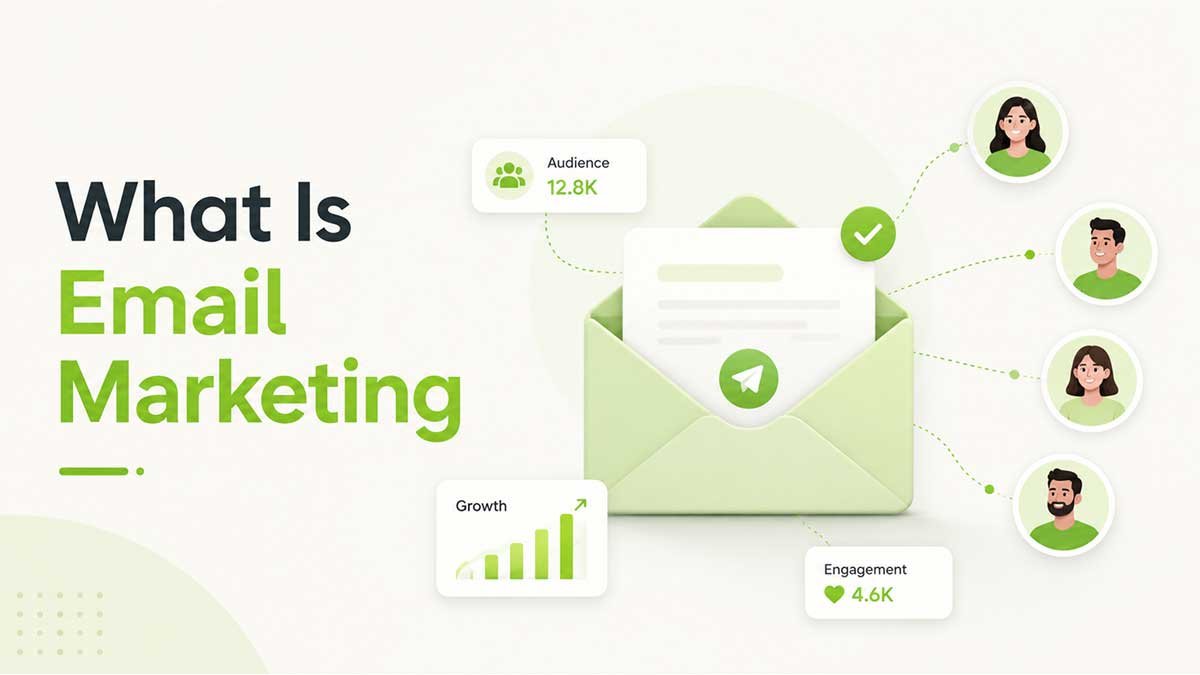
Email marketing is a direct digital marketing channel that uses email to build relationships, share useful content, promote offers, and guide people toward action.
A business may use email marketing to welcome new subscribers, send newsletters, recover abandoned carts, share educational content, request reviews, announce product updates, invite people to events, or re-engage inactive customers.
The most important part is permission.
A strong email list is built from people who agreed to hear from you. They may subscribe through a website form, download a resource, create an account, buy a product, register for a webinar, book a service, join a course, or sign up for a newsletter.
That permission is what makes email marketing trustworthy, measurable, and sustainable.
Email marketing works best when people understand why they are receiving your emails. A subscriber who asked for weekly tips should not suddenly receive daily sales messages. A customer who bought one product should not receive random offers that do not match their needs.
Good email marketing feels useful.
Bad email marketing feels like noise.
A simple way to understand email marketing is through the Email Growth Loop.
- Attract the right audience.
- Give people a clear reason to subscribe.
- Send useful and relevant emails.
- Track what people click, buy, ignore, or unsubscribe from.
- Improve the next campaign based on real behavior.
This loop matters because email marketing is not a one-time campaign. It is an ongoing relationship between a business and its audience.
Editorial insight
Most email marketing problems do not start inside the email editor. They start earlier, when the signup form gives no clear promise, the list has no useful tags, or the business does not know what should happen after someone subscribes.
Why Email Marketing Still Matters in 2026
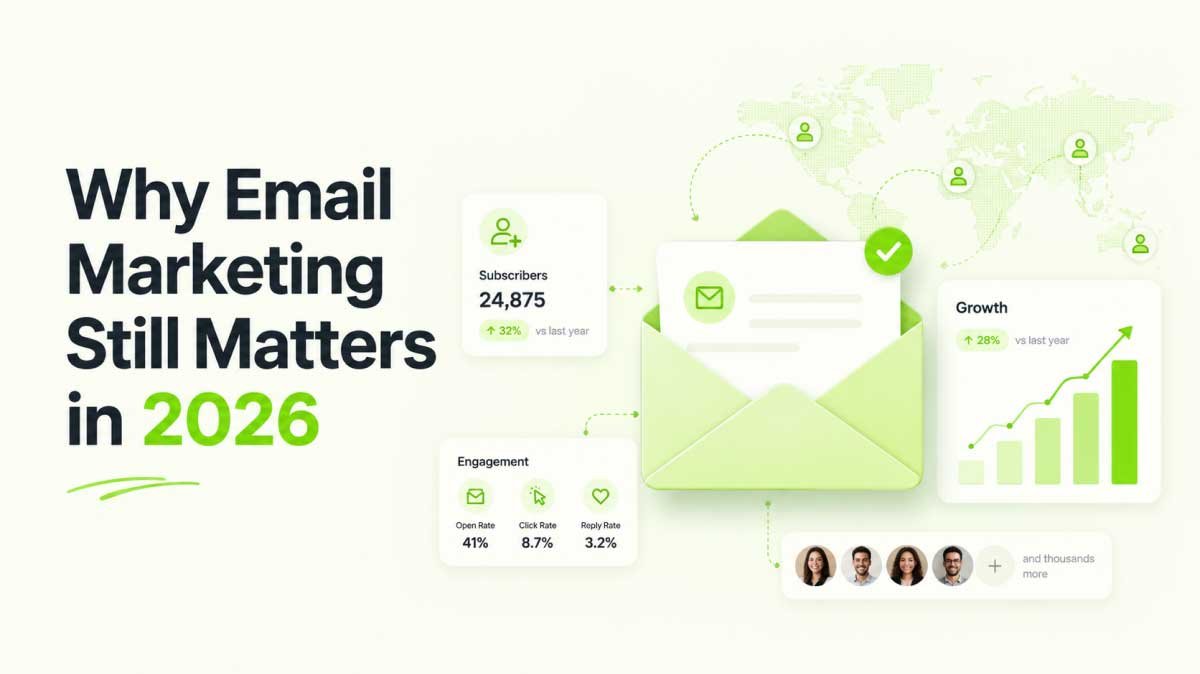
Email marketing still matters because it combines direct access, audience ownership, personalization, automation, and measurable business results.
Email is still part of daily digital life. Statista reports that about 376 billion emails were sent and received daily worldwide in 2025, with daily volume projected to keep increasing through 2028.
Email also continues to deliver strong returns when businesses track it properly. Litmus reported in 2025 that 35 percent of marketing leaders saw $10 to $36 in return for every $1 spent, 30 percent saw $36 to $50, and 5 percent saw more than $50.
The real point is not that email is magic.
The real point is that email becomes valuable when the list is permission-based, the message is relevant, and the campaign is connected to a clear business goal.
For WordPress-powered businesses, that value can show up in many ways.
A WordPress store can recover abandoned carts and bring buyers back after a purchase. A course website can remind students to finish lessons. A membership site can send renewal reminders. A service business can follow up with leads. A content site can send newsletters and drive repeat visits.
Email also connects well with other marketing channels.
| Channel | Best Use | Main Strength | Main Limitation |
| Email marketing | Leads and retention | Direct access | Needs list quality |
| Social media | Awareness | Fast reach | Algorithm changes |
| Paid ads | Quick traffic | Scalable reach | Rising cost |
| SEO | Organic discovery | Long-term value | Takes time |
| SMS | Urgent updates | High visibility | Easy to overuse |
| Push notifications | Quick reminders | Real-time reach | Needs permission |
Email marketing should not replace every other channel. It should connect them.
A person may discover your business through Google, social media, an ad, a podcast, a referral, or a product page. Email helps you continue the relationship after that first interaction.
That is why list building is so important.
Without a list, many visitors leave and never return. With a list, you have a way to keep educating, helping, and converting them over time.
The strongest email programs in 2026 are not built around one big newsletter. They are built around timing, intent, and behavior.
The better question is not “How many emails should we send?”
The better question is “What does this person need next?”
For a deeper WordPress-specific setup, read the full guide on WordPress email marketing.
How Email Marketing Works
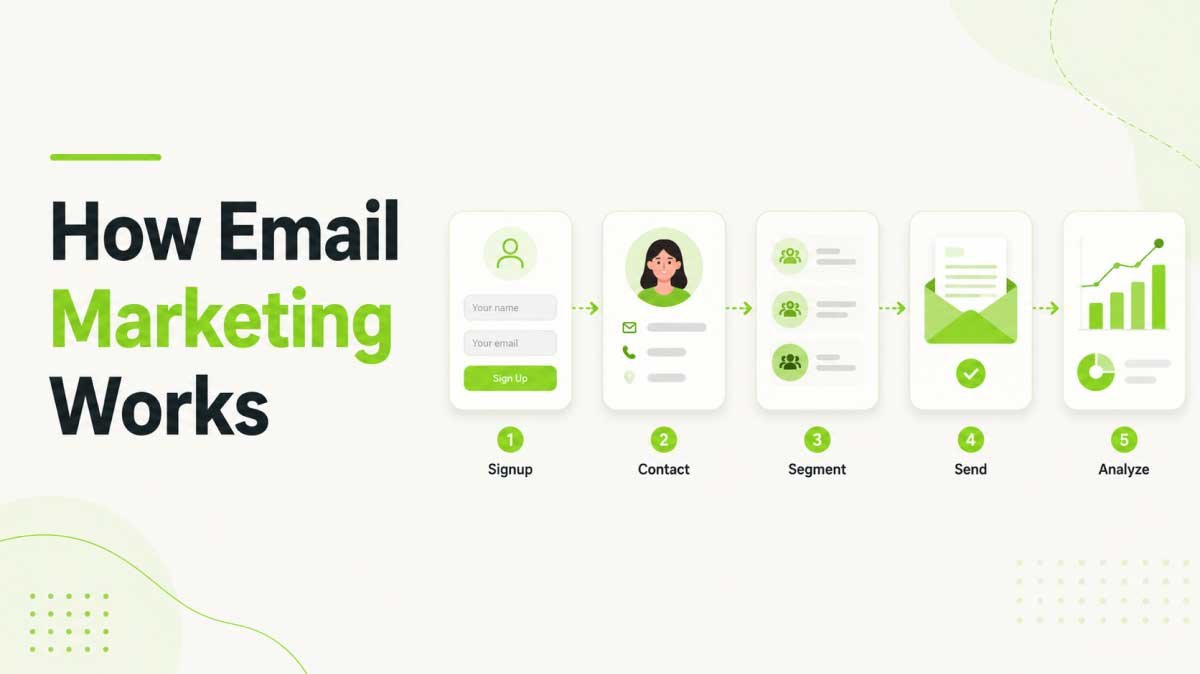
Email marketing works by collecting permission, storing contact data, grouping subscribers, sending relevant campaigns, and measuring results.
The process looks simple from the outside, but the best email programs are built on a clear system.
First, a visitor gives you permission to contact them. This may happen through a signup form, checkout checkbox, lead magnet, free lesson, webinar registration, booking form, or account creation.
Second, their contact details are stored in an email marketing tool or CRM. This may include their name, email address, signup source, tags, purchase history, interests, location, and website behavior.
Third, the contact is added to the right list or segment. A newsletter subscriber should not always receive the same messages as a paying customer. A course student should not always receive the same emails as someone who has only downloaded a checklist.
Fourth, the business sends campaigns or automations. A campaign may be a one-time newsletter. An automation may be a sequence triggered by an action, such as signup, purchase, abandoned cart, link click, lesson progress, membership renewal, or inactivity.
Fifth, the business measures performance. Useful numbers include clicks, conversions, unsubscribes, bounces, replies, revenue, and list growth.
| Step | What Happens | Example |
| Visitor joins | Form or opt-in | Guide download |
| Contact is stored | Profile is created | Name and email |
| Segment is applied | Contact is grouped | New lead |
| Email is sent | Campaign begins | Welcome email |
| Action is tracked | Click is recorded | Pricing click |
| Follow-up happens | Next email changes | Education email |
This workflow is the foundation of modern email marketing.
A beginner may start with one signup form and one newsletter. A growing business may add segmentation, behavior tracking, automation, and CRM data. A mature business may connect email to revenue reporting, lifecycle stages, and customer journeys.
The key is to start simple and improve over time.
Do not wait until you have the perfect system. Build the first working version, then make it smarter as your list grows.
The Core Parts of Email Marketing
Email marketing has six core parts that work together to turn subscribers into engaged leads and customers.
These parts are list building, contact management, segmentation, email content, automation, and measurement.
Each part matters because email marketing is a system. If one part is weak, the whole system becomes harder to grow.
| Core Part | What It Means | Why It Matters |
| Email list | People who opted in | Audience access |
| Contact management | Organized profiles | Better follow-up |
| Segmentation | Smaller groups | More relevance |
| Email content | Message and offer | Reader action |
| Automation | Triggered emails | Better timing |
| Analytics | Campaign data | Smarter decisions |
A healthy email list is more valuable than a large list filled with poor-quality contacts.
Contact management helps you see the relationship behind each email address. It can include names, tags, lists, lead source, purchase history, engagement level, lifecycle stage, location, and website behavior.
Segmentation helps you avoid sending the same message to everyone.
Email content turns strategy into the message people actually read.
Automation keeps communication consistent when subscribers, buyers, students, or members take different actions at different times.
Analytics shows what people click, ignore, buy, or unsubscribe from.
In 2026, clicks and conversions matter more than opens alone. Privacy features can affect open tracking, so businesses should focus on actions that show real interest.
The goal of analytics is not to collect numbers.
The goal is to improve decisions.
How to Build an Email List the Right Way
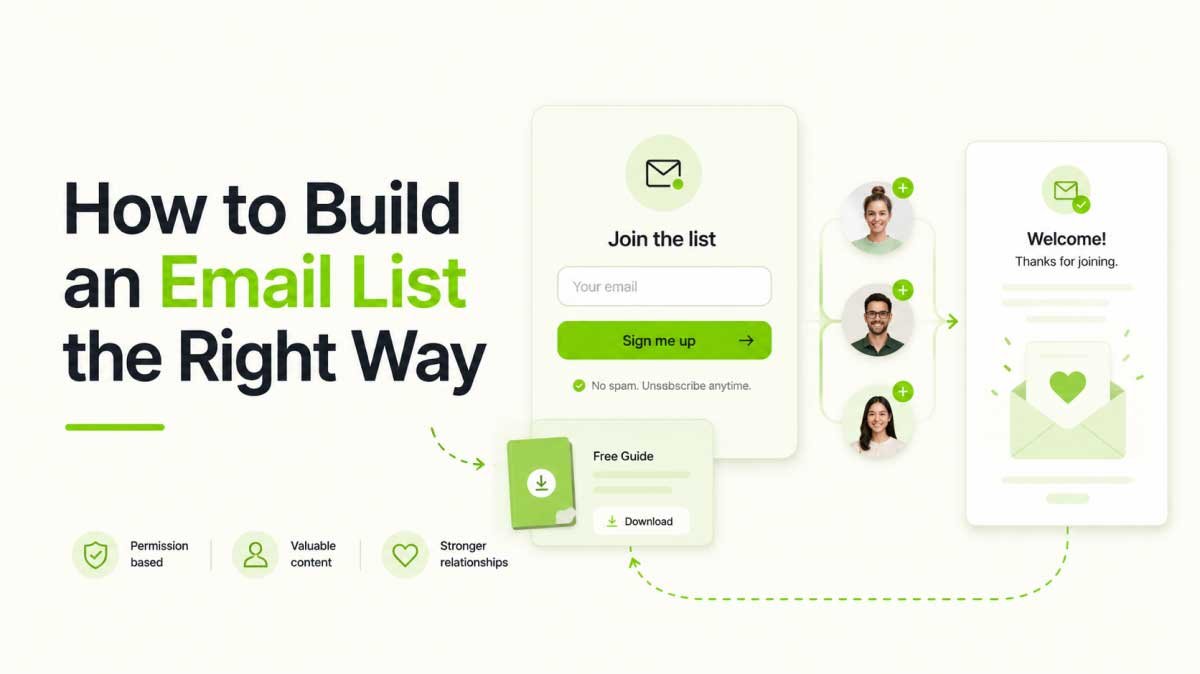
The right way to build an email list is to give people a clear reason to subscribe and ask for permission before sending marketing emails.
List building is where many businesses make mistakes.
They add forms everywhere but give no strong reason to subscribe. They use vague messages like “Join our newsletter” without explaining the value. They collect emails but never tag the signup source. They keep sending to inactive contacts without checking whether the list is still healthy.
A better list-building strategy starts with a simple question.
Why should someone give you their email address?
The answer must be clear.
A visitor may subscribe because they want a discount, guide, checklist, free lesson, webinar, product update, industry report, booking reminder, or helpful weekly advice.
The offer does not need to be complicated. It needs to be relevant.
For example, a WordPress online store may offer a first-order discount. A course website may offer a free lesson. A service business may offer a pricing guide. A blog may offer a weekly digest. A digital product business may offer a setup checklist.
The stronger the match between the offer and the audience, the better the list quality.
| Signup Offer | Best Fit | Example |
| Checklist | Beginners | Launch checklist |
| Template | Busy users | Welcome template |
| Guide | Researchers | Automation guide |
| Discount | Stores | First order offer |
| Webinar | High-intent leads | Live training |
| Free lesson | Course sites | Starter lesson |
| Report | B2B readers | 2026 insights |
Field note
The most common list-building mistake is not low traffic. It is a weak promise. A form that says “Subscribe” asks for attention without explaining the reward. A form that says “Get one practical email marketing tip every Tuesday” gives the visitor a clear reason to join.
Use the Right Signup Points
The best signup forms appear where user intent is already strong.
Common signup points include blog posts, checkout pages, landing pages, pricing pages, exit popups, footer forms, account registration, event pages, and resource pages.
A form on a blog post may invite readers to get related tips. A checkout checkbox may invite buyers to receive product updates. A pricing page form may offer a consultation or comparison guide.
The signup point should match the visitor’s mindset.
Tag the Signup Source
Every subscriber should have a source.
This source tells you where the contact came from and what they may care about.
A subscriber from an abandoned cart popup has a different intent from someone who joined through a blog newsletter form. A pricing page lead has a different intent from a general guide download.
Tracking the signup source helps you segment contacts and send better follow-ups.
This is one reason CRM-connected email marketing is useful. It keeps the contact history attached to the email address instead of treating every subscriber the same.
Send a Strong Welcome Email
A welcome email is the first real conversation after someone joins your list.
It should confirm the signup, deliver the promised resource, set expectations, and guide the reader to one useful next step.
A good welcome email does not need to be long.
It can say what they signed up for, what they will receive next, how often you will email them, and where they should go next.
The goal is to start the relationship with clarity.
Keep the List Clean
A clean email list improves deliverability and makes reporting more accurate.
Over time, every list collects inactive subscribers, invalid addresses, bounced emails, and people who no longer care.
List cleaning means removing bad addresses, suppressing hard bounces, re-engaging inactive contacts, and respecting unsubscribes.
A healthy list is not the biggest list.
It is the list with the most real interest.
Email Segmentation Helps You Send More Relevant Emails
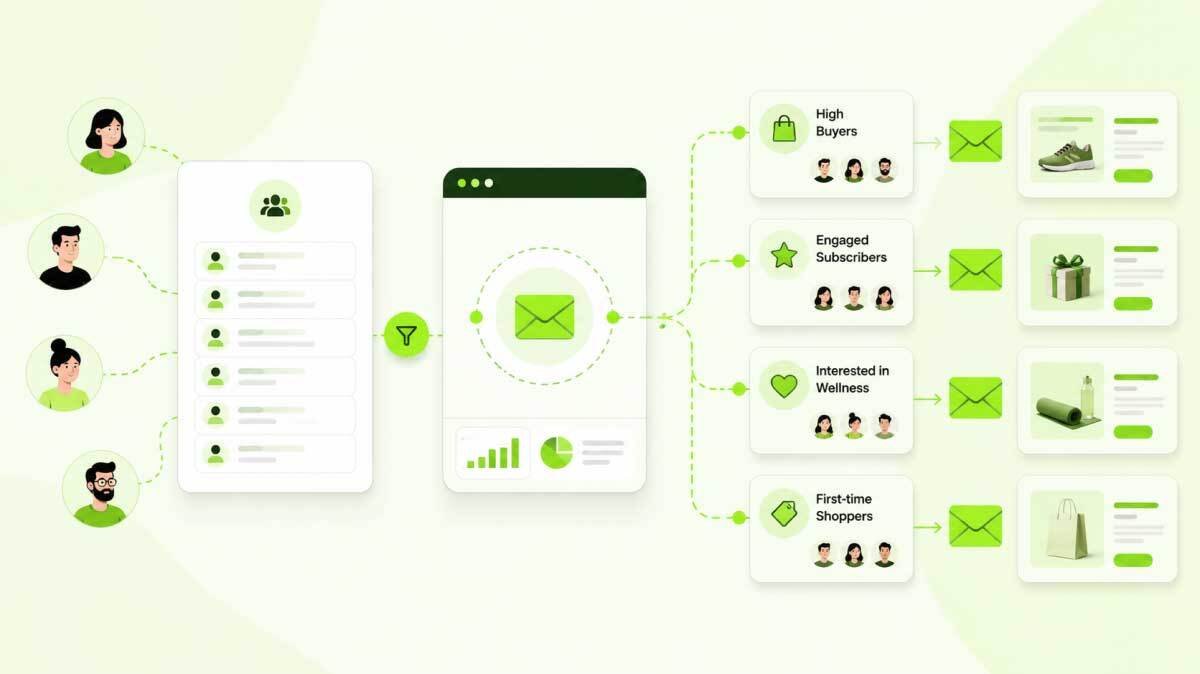
Email segmentation is the process of dividing your email list into smaller groups so each person receives messages that match their needs, interests, or behavior.
This is where email marketing starts to feel less like broadcasting and more like a real conversation.
A new subscriber should not always receive the same email as a repeat customer. A pricing page visitor should not always receive the same email as someone who only read a beginner guide. A buyer who purchased multiple times may need a loyalty offer, while an inactive subscriber may need a simple re-engagement message.
Segmentation helps you avoid the biggest email marketing mistake.
Sending the same message to everyone.
A broad email may feel easier to create, but it often ignores what people actually care about. The more your list grows, the more important segmentation becomes.
A helpful way to think about this is the Email Relevance Stack.
- Who is this person?
- Where did they come from?
- What have they done?
- What do they need next?
- What message would help them move forward?
When you answer those questions, email marketing becomes more useful for the reader and more profitable for the business.
| Segment Type | What It Means | Example |
| Interest | What they care about | Automation |
| Behavior | What they do | Pricing click |
| Purchase | What they bought | First buyer |
| Engagement | How active they are | Recent clicker |
| Source | Where they joined | Blog signup |
| Lifecycle | Relationship stage | New lead |
| Location | Where they are | City or region |
The best segment is not always the most complex one.
The best segment is the one that helps you send a better message.
A WordPress store can create one segment for people who bought a product and another for people who viewed a product but did not buy. A course creator can segment students who finished lesson one but did not continue. A service business can segment leads who visited the pricing page but did not book a call.
Practical insight
Start with four or five segments before building complex audience rules. Most small teams need new leads, customers, active subscribers, inactive subscribers, and high-intent visitors first. More segments only help when they lead to clearer emails.
Email Personalization Is More Than Using a First Name
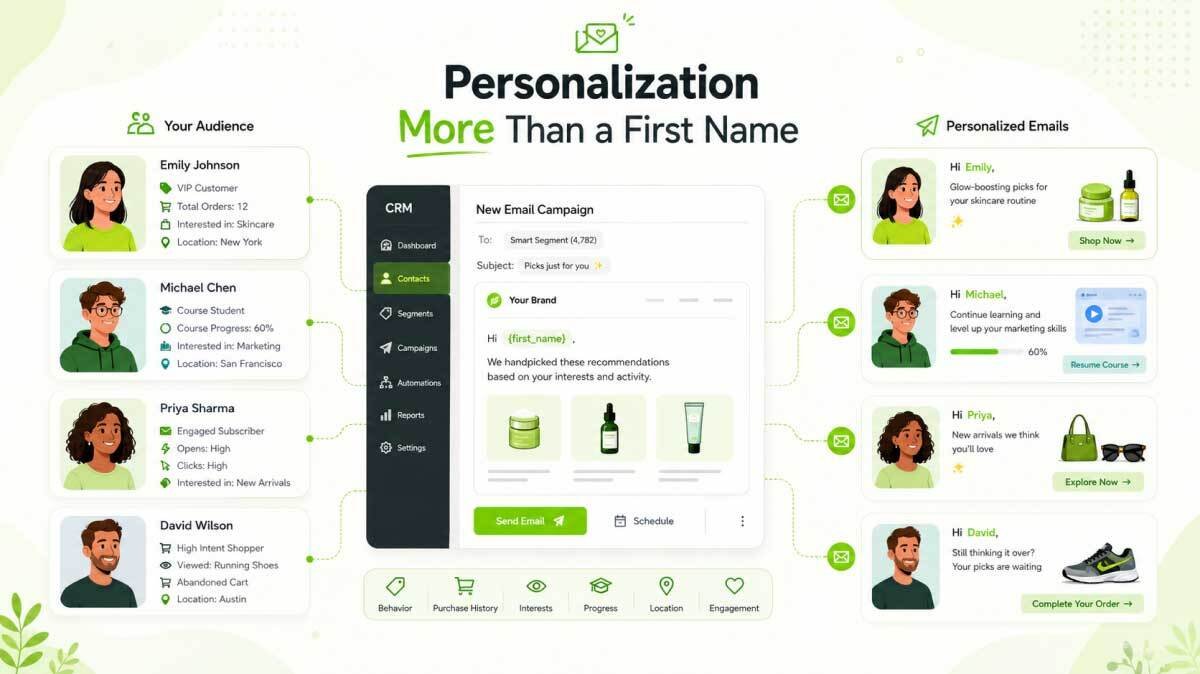
Email personalization means using subscriber data to make each message feel more relevant, useful, and timely.
Many businesses think personalization starts and ends with a first name.
That is basic personalization.
Modern personalization goes deeper. It uses behavior, interests, purchase history, lifecycle stage, location, and engagement level to shape the email experience.
A first name can help an email feel familiar. But relevance is what makes the email useful.
For example, these two emails feel very different.
“Hi Sarah, check out our latest products.”
“Hi Sarah, you looked at our beginner automation guide last week. Here is a simple welcome sequence you can copy.”
The second email is stronger because it is based on intent.
It connects to a real action and gives the reader a useful next step.
| Signal | Email Use | Message Angle |
| First name | Human greeting | Your guide is ready |
| Product viewed | Product follow-up | Still comparing |
| Cart abandoned | Recovery email | Complete order |
| Purchase history | Recommendation | Related product |
| Signup source | Education | Checklist follow-up |
| Engagement | Re-engagement | Still interested |
| Course progress | Learning reminder | Continue lesson |
Personalization works best when it feels helpful.
It should not feel uncomfortable or overly specific.
For example, saying “We noticed you visited this page many times late at night” may feel invasive. Saying “Still comparing your options?” feels more natural.
Good email personalization respects context.
It uses data to help, not to pressure.
Types of Email Marketing Campaigns
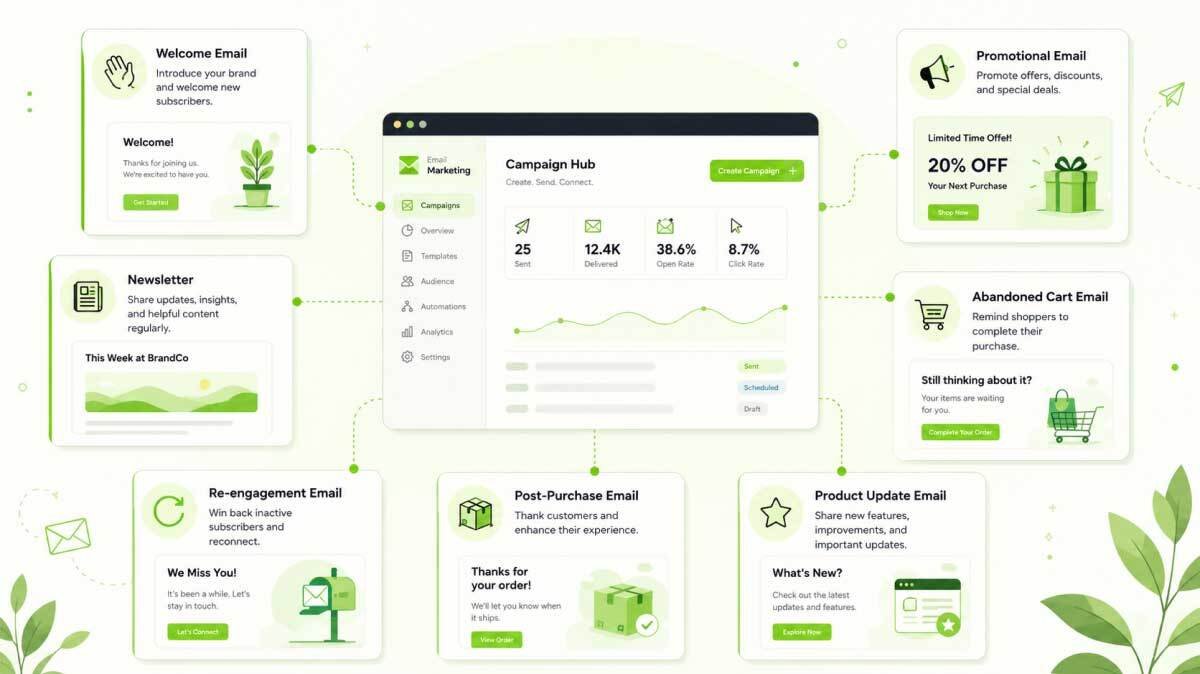
Email marketing campaigns work best when each email has a clear purpose.
Not every email should sell. Not every email should educate. Not every email should ask for a click.
Different campaign types support different parts of the customer journey.
A welcome email builds trust. A newsletter keeps the relationship alive. A promotional email drives action. A post-purchase email supports the customer after the sale. A win-back email brings inactive contacts back.
| Campaign Type | Purpose | Best Time |
| Welcome email | Start relationship | After signup |
| Newsletter | Share updates | Regular schedule |
| Promotional email | Drive action | During offers |
| Product update | Announce changes | New release |
| Abandoned cart | Recover sales | After cart exit |
| Post-purchase | Support buyer | After purchase |
| Re-engagement | Win back users | After inactivity |
| Educational nurture | Build trust | Before conversion |
| Event invitation | Drive signup | Before event |
| Feedback email | Collect insight | After action |
| Transactional email | Confirm action | After order |
Each campaign type needs a different tone.
A welcome email should feel warm and clear. A promotional email should be direct. A post-purchase email should be helpful. A re-engagement email should be simple and honest.
The goal is not to use every campaign type at once.
The goal is to choose the campaigns that match your business model.
For example, an online store may need abandoned cart and post-purchase emails first. A course website may need free lesson delivery and progress reminders. A service business may need lead nurture emails and consultation reminders.
A strong campaign strategy is not about sending more.
It is about sending with a clear reason.
Email Marketing Automation Saves Time and Improves Timing
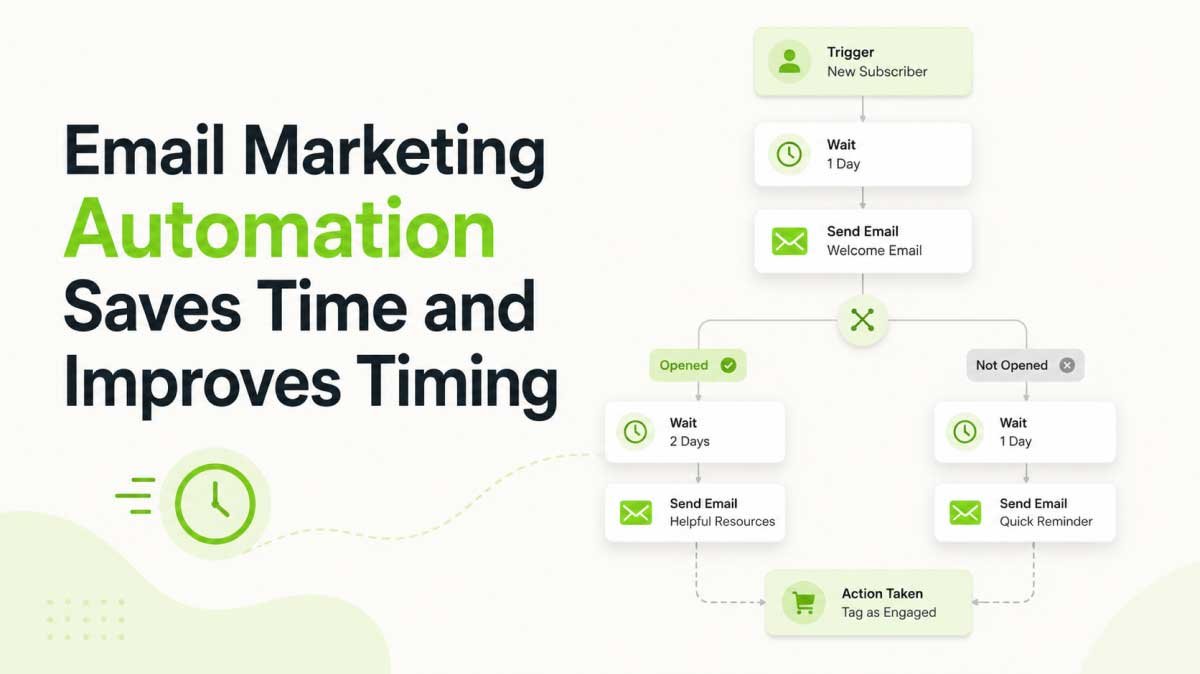
Email marketing automation sends messages based on triggers, timing, and contact behavior instead of manual sending.
Automation is useful because people do not all move through the customer journey at the same time.
One subscriber joins today. Another buys next week. Another clicks a pricing link after three months. Another becomes inactive after a year.
Manual follow-up becomes difficult as the list grows.
Automation helps you respond to these moments without sending every email by hand.
Common automation triggers include new signup, tag added, form submitted, email link clicked, product purchased, cart abandoned, course lesson completed, membership expiring, no activity for a set time, and customer value reached.
A good automation is not just a chain of emails.
It is a decision path.
If the person clicks, they may receive one follow-up. If they do not click, they may receive a different email. If they buy, they should stop receiving the sales sequence and move into a customer sequence.
| Automation | Trigger | Purpose |
| Welcome flow | Signup | Build trust |
| Lead nurture | Resource download | Educate |
| Cart recovery | Abandoned cart | Recover sale |
| Post-purchase | Order complete | Support buyer |
| Course reminder | Lesson inactivity | Improve progress |
| Renewal reminder | Membership ending | Reduce churn |
| Re-engagement | No activity | Clean list |
Operator insight
The weakest automations usually have delays but no exit rules. If someone buys, books, replies, or completes the goal, they should not keep receiving emails written for people who have not acted yet. Automation should react to progress, not ignore it.
Start with one or two simple workflows.
A welcome automation and one conversion-focused automation are enough for many businesses at the beginning. Build them well before adding complex branches.
Email Deliverability Determines Whether Your Emails Reach the Inbox
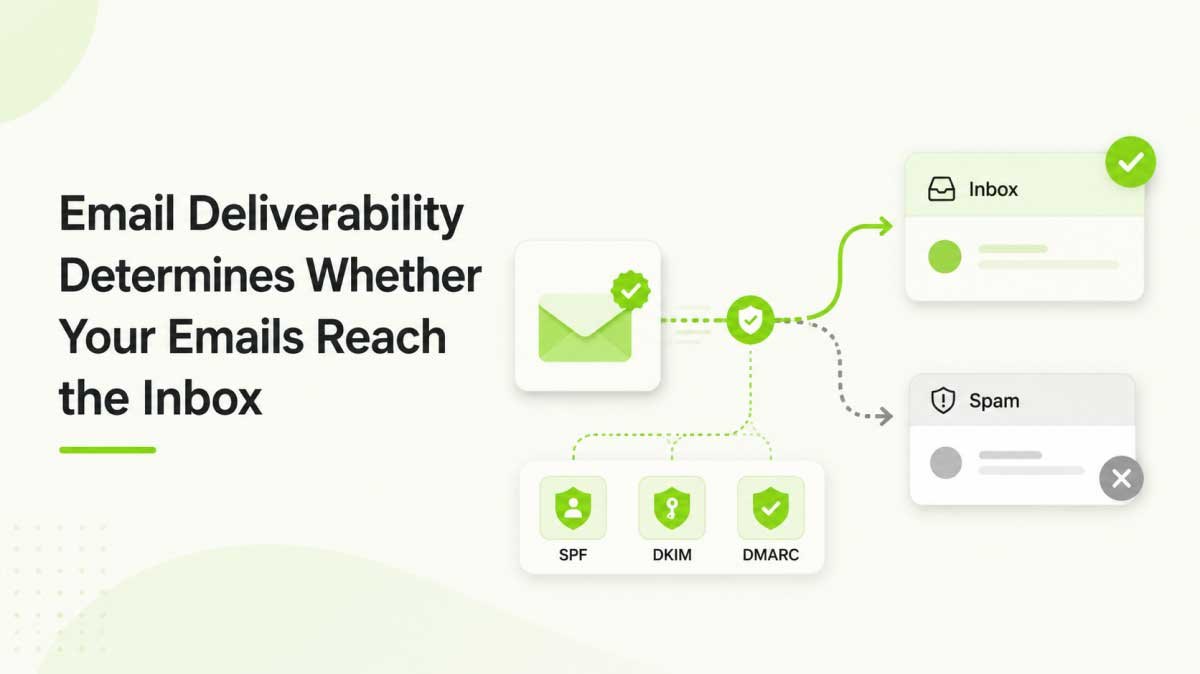
Email deliverability is the ability of your emails to reach the inbox instead of being blocked, bounced, or placed in spam.
This is one of the most important parts of email marketing.
You can write a great subject line, create a strong offer, and build a smart automation. But if your emails do not reach the inbox, none of that matters.
Deliverability depends on sender reputation, domain authentication, list quality, email content, sending behavior, and spam complaints.
Google’s sender guidelines require SPF or DKIM for all senders. Bulk senders need SPF, DKIM, and DMARC. Google also recommends keeping spam rates reported in Postmaster Tools below 0.10 percent and avoiding a spam rate of 0.30 percent or higher.
For WordPress users, this matters because many websites send email through forms, ecommerce plugins, booking tools, membership plugins, LMS plugins, and marketing tools.
If the sending setup is weak, your emails may land in spam even when your content is good.
Delivery Rate vs Deliverability
Delivery rate and deliverability are not the same thing.
Delivery rate means the email was accepted by the receiving server. Deliverability means the email actually reached the inbox.
An email can be delivered but still land in spam.
That is why inbox placement matters more than basic delivery.
SPF, DKIM, and DMARC
SPF, DKIM, and DMARC are email authentication records that help mailbox providers verify that your emails are legitimate.
SPF helps verify which servers are allowed to send email for your domain.
DKIM adds a digital signature that proves the email was not changed after sending.
DMARC tells mailbox providers what to do when SPF or DKIM checks fail.
These records do not guarantee inbox placement, but they are now basic requirements for serious email sending.
For a deeper technical walkthrough, read this guide on why WordPress emails go to spam.
You can also compare setup options in this guide to the best WordPress SMTP plugins.
List Hygiene and Trust
List hygiene means keeping your email list clean, active, and permission-based.
A dirty list can damage deliverability.
Common list problems include invalid email addresses, fake signups, inactive contacts, duplicate contacts, role-based emails, and people who no longer expect your emails.
List hygiene includes removing hard bounces, suppressing invalid emails, respecting unsubscribes, re-engaging inactive contacts, and using email validation when needed.
Field note
For WordPress businesses, deliverability issues often look like copywriting problems at first. In reality, the issue may be the sending setup, missing authentication, weak SMTP configuration, or old inactive contacts. Fix the infrastructure before rewriting every email.
Email Marketing Metrics That Matter in 2026
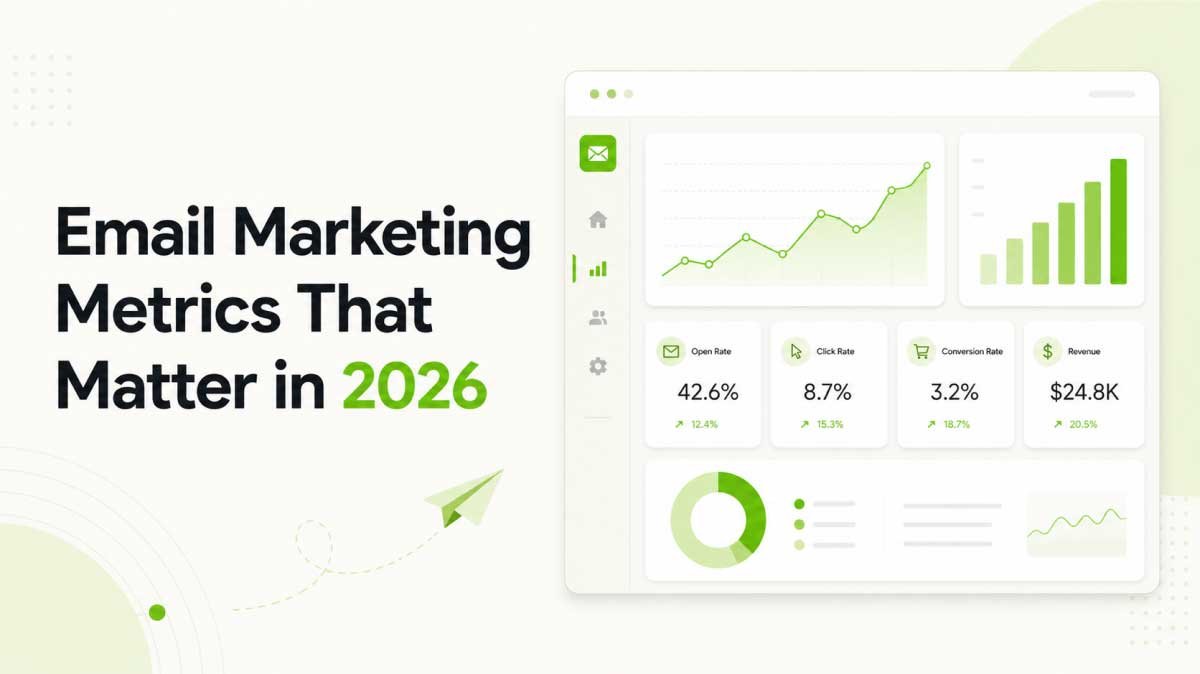
Email marketing metrics help you understand whether your emails are reaching people, earning attention, and creating business results.
The challenge is knowing which numbers matter.
Many businesses look only at open rates. Open rates can still be useful for directional comparison, but privacy features can make them less reliable than before.
Apple Mail Privacy Protection says it can prevent senders from seeing if a user opened an email. That is why open rates should be treated as a soft signal, not the only measure of success.
In 2026, stronger email reporting should focus on actions.
Clicks, conversions, replies, revenue, unsubscribes, bounce rate, and spam complaints often tell a clearer story than opens alone.
| Metric | What It Shows | Why It Matters |
| Delivery rate | Server acceptance | Sending issues |
| Open rate | Possible attention | Directional signal |
| Click rate | Link interest | Engagement |
| Conversion rate | Goal completion | Business impact |
| Bounce rate | Failed delivery | List quality |
| Unsubscribe rate | Opt-outs | Expectation fit |
| Complaint rate | Spam reports | Trust risk |
| Revenue per email | Income impact | Campaign value |
| List growth | Subscriber growth | Acquisition |
Each metric answers a different question.
Delivery rate asks whether the email reached the server.
Click rate asks whether the reader showed interest.
Conversion rate asks whether the email created the intended result.
Unsubscribe and complaint rates ask whether trust is weakening.
Revenue per email asks whether the campaign helped the business.
Marketing insight
Open rates are not useless, but they are no longer enough. A campaign with lower opens and higher conversions may be stronger than a campaign with high opens and no action. In 2026, judge email by behavior, not only attention.
Good reporting turns email marketing from guessing into learning.
If clicks are low, improve the offer, call to action, or audience match. If conversions are low, improve the landing page, proof, or follow-up. If complaints rise, pause and review list quality, expectations, and consent.
Email Marketing Tools Help You Build a Complete System
Email marketing tools help businesses collect subscribers, manage contacts, send campaigns, automate follow-ups, and measure results.
The tool you choose matters because email marketing is not only about sending emails.
A complete system usually includes forms, contact storage, segmentation, campaign design, automation, deliverability support, analytics, and integrations with your website or sales process.
Some businesses start with a simple newsletter tool. That is fine in the beginning.
But as the list grows, the needs change.
You may need to know where a subscriber came from. You may need to send different emails to buyers and non-buyers. You may need abandoned cart automation. You may need to connect email activity to revenue. You may need to clean your list, track clicks, and manage unsubscribes.
| Tool Type | What It Does | Why It Matters |
| Email platform | Sends campaigns | Core sending |
| CRM | Stores contacts | Relationship view |
| Form builder | Collects leads | List growth |
| Automation builder | Runs workflows | Better timing |
| SMTP tool | Supports sending | Inbox reliability |
| Analytics | Tracks results | Better decisions |
| Email validation | Checks addresses | Cleaner list |
| Landing pages | Captures leads | Better conversion |
The best tool is not always the most popular one.
The best tool is the one that fits your business model, your technical setup, your budget, and your need for control.
A solo blogger may only need a simple newsletter system. A WordPress store may need purchase tracking, abandoned cart emails, and product recommendations. A course creator may need student progress emails. An agency may need client-level reporting and repeatable automation templates.
Tooling insight
Disconnected tools create hidden work. A form tool, CRM, email platform, SMTP plugin, analytics tool, and automation tool may look flexible at first. But the team often spends more time syncing data than improving campaigns.
Before choosing a tool, ask one practical question.
Will this system still work when the list, campaigns, and customer journeys become more complex?
SaaS Email Platforms vs WordPress-Native Email Marketing Tools
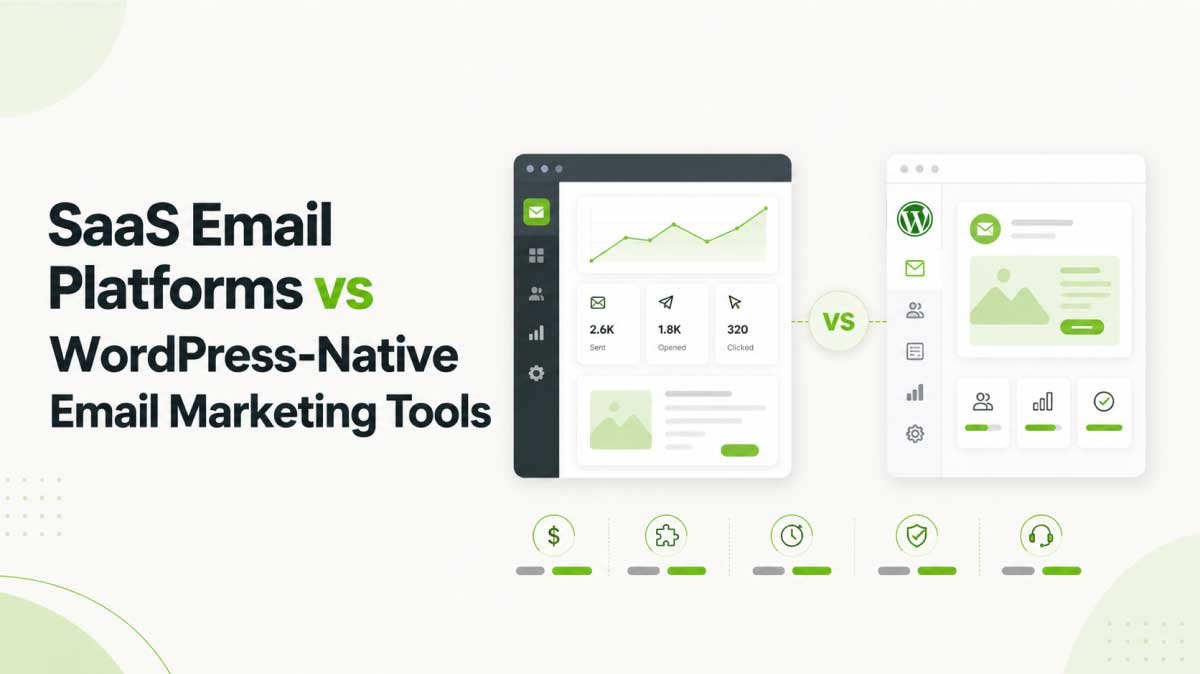
SaaS email platforms and WordPress-native email marketing tools both help businesses send emails, but they differ in data ownership, cost structure, control, and workflow.
SaaS platforms are hosted outside your website. They are often easy to start with because the provider manages the platform, user interface, infrastructure, and many technical details.
WordPress-native tools work closer to your own website. They can connect contacts, forms, campaigns, automation, and tracking with your WordPress environment.
Both approaches can work.
The better choice depends on what your business values most.
| Factor | SaaS Platform | WordPress-Native Tool |
| Setup | Fast start | Site-based setup |
| Data control | Third-party platform | Closer to WordPress |
| Pricing | Often contact-based | Often license-based |
| Workflow | External dashboard | WordPress workflow |
| Integrations | API connections | Plugin ecosystem |
| Best fit | Managed convenience | Ownership and control |
SaaS platforms are often a good fit when a business wants fast setup and does not want to manage anything inside its own website.
WordPress-native systems are often a good fit when a business wants stronger data control, fewer disconnected tools, and a closer connection between the website, CRM, forms, ecommerce activity, LMS activity, membership activity, and automation.
This is where ownership matters.
Email marketing depends on contact data. That data may include names, emails, purchase history, interests, tags, clicks, form submissions, course activity, and behavior signals.
If that data is spread across many tools, it becomes harder to understand the customer journey.
If that data is stored in one connected system, it becomes easier to segment, personalize, automate, and measure.
When WordPress-Native Email Marketing Makes Sense
WordPress-native email marketing makes sense when your website is already the center of your audience, sales, content, courses, memberships, or customer data.
A visitor reads a blog post. A shopper adds a product to the cart. A student starts a course. A lead submits a form. A customer books a service. A member renews a subscription.
Each action can become a useful email trigger.
That is why WordPress email marketing is not only about newsletters.
It can connect to blog opt-in forms, WooCommerce purchases, Easy Digital Downloads activity, abandoned carts, course progress, membership renewals, booking confirmations, contact form submissions, lead magnet downloads, customer tags, lists, and CRM records.
WordPress insight
The biggest advantage of WordPress email marketing is context. Your website already knows what people read, buy, download, submit, and complete. When that context connects to email, campaigns become more useful without needing a large marketing team.
For businesses already using WordPress as their website, store, course platform, or customer hub, a WordPress-native system can be a practical choice.
This is where a tool like NextCRM can fit naturally. It brings CRM, contact management, email campaigns, segmentation, automation, and marketing intelligence into WordPress, so businesses can work closer to their own first-party customer data.
For the full WordPress-specific setup, read the detailed guide on WordPress email marketing.
Email Marketing Use Cases for Growing Businesses
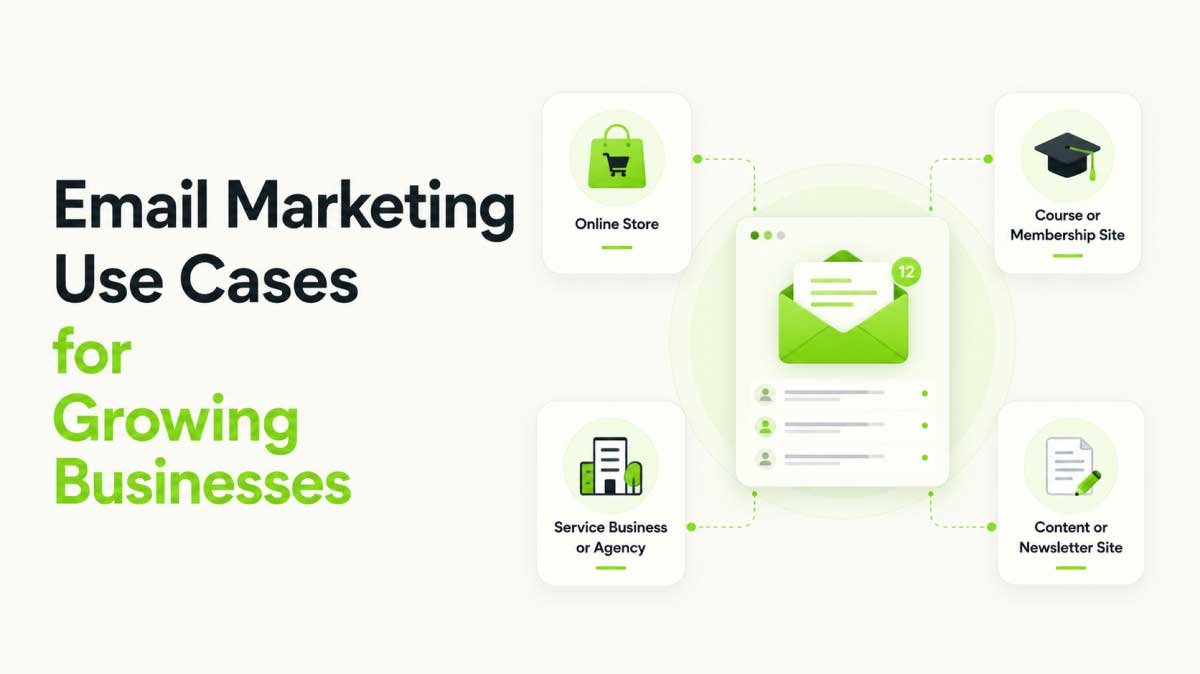
Email marketing use cases change based on the business model, but the core goal stays the same.
The goal is to send the right message at the right moment.
This section keeps the audience broad enough for a pillar guide while staying inside the kind of businesses that WordPress commonly powers.
Email Marketing for Online Stores
Online stores use email marketing to bring shoppers back and increase repeat purchases.
Useful campaigns include welcome discounts, abandoned cart reminders, post-purchase instructions, product recommendations, review requests, back-in-stock alerts, seasonal campaigns, VIP offers, and win-back emails.
The best store emails often answer a customer’s next question.
Will this product fit my needs? How do I use it? What happens after I buy? Can I trust this store?
For WordPress stores, this usually means connecting email marketing with WooCommerce, Easy Digital Downloads, product pages, checkout activity, and customer purchase history.
For WooCommerce-specific tool research, read this guide on the best email marketing tools for WooCommerce.
Email Marketing for Course and Membership Websites
Course and membership websites use email marketing to guide people before and after signup.
A learner may join a free lesson, watch a webinar, download a syllabus, enroll in a course, pause halfway through, complete a module, or renew a membership.
Each action creates a follow-up opportunity.
Useful emails include free lesson delivery, enrollment reminders, student onboarding, lesson completion nudges, renewal reminders, certificate emails, advanced course offers, and re-engagement emails.
The strongest learning emails are tied to behavior.
A student who finished lesson one but stopped at lesson two needs a different message from someone who completed the whole course.
Email Marketing for Service Businesses and Agencies
Service businesses and agencies use email marketing to nurture leads before they are ready to buy.
Many service buyers do not convert on the first visit.
They compare providers. They read case studies. They check pricing. They ask questions. They wait until the need becomes urgent.
Useful emails include lead magnet follow-ups, consultation reminders, case study emails, pricing guide sequences, proposal follow-ups, client onboarding emails, review requests, referral campaigns, and re-engagement emails.
A good service email sequence reduces uncertainty.
It answers what the service does, what the process looks like, what results are realistic, and why the buyer should trust the team.
Email Marketing for Content and Newsletter Websites
Content and newsletter websites use email marketing to turn one-time visitors into repeat readers.
A search visitor may read one post and leave forever. An email subscriber can return again and again if the content stays useful.
Useful emails include weekly digests, topic-based newsletters, resource follow-ups, event invitations, product education, and reader surveys.
The best content emails have a clear promise.
Readers should know what kind of value they will receive and why opening the next email is worth their time.
Email Marketing Compliance Protects Trust
Email marketing compliance means following the rules that protect subscribers and prevent deceptive or unwanted commercial emails.
Compliance should not be treated as a boring legal checkbox.
It protects your brand, your sender reputation, and your relationship with subscribers.
Most email marketing rules are built around the same basic ideas.
Get clear permission when required. Do not mislead people. Identify your business honestly. Make unsubscribing easy. Respect opt-out requests. Protect personal data.
The FTC’s CAN-SPAM guide says businesses must honor opt-out requests within 10 business days.
The European Commission says organizations using personal data for direct marketing must keep lists up to date and avoid sending advertising to people who objected to that processing.
| Area | What It Means | Practical Action |
| Consent | Clear signup | Honest forms |
| Identity | Clear sender | Real business |
| Subject lines | No deception | Match content |
| Unsubscribe | Easy opt-out | Visible link |
| Data protection | Safe handling | Collect less |
| List source | Legit contacts | Verify consent |
Compliance also supports deliverability.
If people trust your emails, they are less likely to mark them as spam. If unsubscribing is easy, people can leave without hurting your sender reputation.
Good compliance is good marketing.
Email Marketing Mistakes and Best Practices for 2026
Email marketing works best when strategy, permission, relevance, deliverability, and measurement work together.
Most email marketing problems come from weak list quality, poor relevance, inconsistent sending, or unclear measurement.
The mistakes are common because email looks simple.
Write a message. Choose a list. Hit send.
But the real work happens before and after the send.
Mistakes to Avoid
Sending without clear permission weakens trust. People should understand why they are receiving your emails and what they signed up for.
Sending the same email to everyone ignores intent. A beginner, buyer, inactive subscriber, high-value customer, and pricing page visitor do not need the same message.
Ignoring deliverability makes good campaigns look bad. If emails land in spam, your copy, offer, and design cannot do their job.
Relying only on open rates creates weak reporting. Opens can help with direction, but clicks, conversions, replies, revenue, unsubscribes, and spam complaints give a clearer view of real engagement.
Sending without a clear goal confuses readers. Every email should have a purpose, such as educating, selling, onboarding, reminding, inviting, collecting feedback, or re-engaging.
Over-automating too early creates complexity. A small list may not need a large journey with many branches. Simple automation that works is better than complex automation nobody understands.
Best Practices to Follow
Start with a clear promise. People subscribe because they expect value. Your signup form should explain what they will receive.
Build a permission-based list. Treat subscribers as people who gave you access to their inbox, not as numbers inside a database.
Segment before you scale. New leads, customers, inactive contacts, high-intent visitors, and repeat buyers are enough for many businesses at the beginning.
Write one main message per email. Too many topics create confusion. One email should usually have one main idea and one clear next step.
Make emails easy to read on mobile. Keep paragraphs short. Use clear headings. Make buttons easy to tap. Do not rely only on images to communicate the message.
Test subject lines and calls to action. Small changes can affect performance, but do not test everything at once.
Focus on clicks, conversions, and revenue. Open rates are only part of the story. Real actions show stronger intent.
Keep improving the system. Review performance, clean the list, update segments, improve automations, and remove weak steps.
| Best Practice | Why It Matters |
| Clear signup promise | Better expectations |
| Permission-based list | Stronger trust |
| Simple segments | Better relevance |
| One main message | Clearer action |
| Mobile-friendly emails | Easier reading |
| Regular testing | Better learning |
| Deliverability checks | More inbox reach |
| Revenue tracking | Better decisions |
Email marketing is not finished after one campaign.
A small improvement every month can create a much stronger system over time.
Email Marketing FAQs
What is email marketing in simple terms?
Email marketing is sending useful emails to people who have permitted you to contact them.
Businesses use email marketing to educate subscribers, promote offers, welcome new customers, recover abandoned carts, share updates, and build long-term relationships.
Good email marketing is not random sending. It is a planned communication system.
Is email marketing still effective in 2026?
Email marketing is still effective in 2026 because it gives businesses a direct way to reach subscribers, leads, and customers.
It works best when messages are permission-based, segmented, useful, and measured by real actions such as clicks, conversions, replies, and revenue.
Old-style email blasting is less effective. Relevant email marketing still works.
What is email segmentation?
Email segmentation means dividing your email list into smaller groups based on interests, behavior, purchase history, location, engagement, or lifecycle stage.
Segmentation helps businesses send more relevant emails.
For example, a new subscriber, repeat buyer, abandoned cart visitor, and inactive contact should not always receive the same message.
What is email automation?
Email automation sends emails automatically based on triggers, timing, or contact behavior.
For example, a welcome sequence can start after signup. A cart reminder can start after checkout abandonment. A course reminder can start after lesson inactivity.
Automation helps businesses follow up at the right time without sending every email manually.
What is email deliverability?
Email deliverability is the ability of your emails to reach the inbox instead of being blocked, bounced, or sent to spam.
Deliverability depends on sender reputation, domain authentication, list quality, content, engagement, and spam complaints.
Strong deliverability helps good emails actually get seen.
What is the best email marketing tool?
The best email marketing tool depends on your business model, budget, audience size, technical setup, and need for control.
A simple newsletter tool may work for creators. A SaaS platform may work for teams that want managed infrastructure. A WordPress-native tool such as NextCRM may fit businesses that want CRM, email marketing, segmentation, and automation inside WordPress.
Final Thoughts
Email marketing is not only a channel for sending promotions.
It is a relationship system.
A strong email program helps a business attract the right audience, earn permission, understand customer behavior, send relevant messages, automate important follow-ups, and measure real outcomes.
The businesses that win with email in 2026 will not be the ones sending the most emails.
They will be the ones sending the most useful emails to the right people at the right time.
Start with a quality list. Keep your promise. Segment your audience. Protect deliverability. Track meaningful actions. Improve every campaign based on what subscribers actually do.
That is how email marketing becomes more than a newsletter.
It becomes a growth system your business can own.
For WordPress businesses, the next step is to connect email marketing with your website, CRM, forms, store, course platform, membership site, and customer data. A WordPress-native platform like NextCRM can help bring those pieces together without forcing your audience data into a fragmented stack of separate tools.
For the WordPress-specific version of this strategy, read the full guide on WordPress email marketing.